Imagen de Amazon.com

Portada de Syndetics
Imagen de OpenLibrary
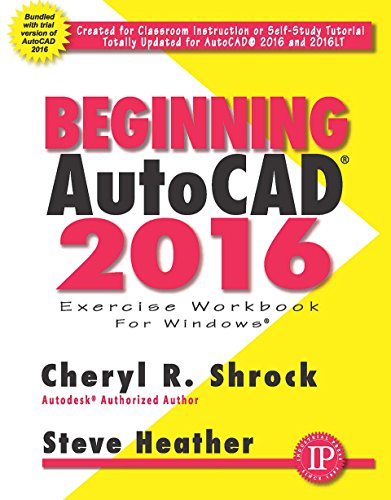
Beginning Auto CAD 2016 Exercise workbook for Windows.
Idioma: Inglés Detalles de publicación: South Norwalk, CT Industrial Press, Inc. 2015.Descripción: no pagings numbers ill. 28 cmISBN:- 9780831135188
- T385.S 576 2015
Contenidos:
Created for classroom instruction or self-study tutorial. Updated for Auto CAD 2016 by Steve Heather.
| Imagen de cubierta | Tipo de ítem | Biblioteca actual | Biblioteca de origen | Colección | Ubicación en estantería | Signatura topográfica | Materiales especificados | Info Vol | URL | Copia número | Estado | Notas | Fecha de vencimiento | Código de barras | Reserva de ítems | Prioridad de la cola de reserva de ejemplar | Reservas para cursos | |
|---|---|---|---|---|---|---|---|---|---|---|---|---|---|---|---|---|---|---|
| Disco Referencia CARIBET | CARIBET Biblioteca Arquitectura Colección de Referencia CARIBET | T385.S576 2015 CD (Navegar estantería(Abre debajo)) | Disponible | 91000000046888 | ||||||||||||||
| Libro Referencia CARIBET | CARIBET Biblioteca Arquitectura Colección de Referencia CARIBET | T385.S576 2015 (Navegar estantería(Abre debajo)) | Disponible | 91000000046870 | ||||||||||||||
| Libro Referencia CARIBET | CARIBET Biblioteca Arquitectura Colección de Referencia CARIBET | T385. S576 2015 (Navegar estantería(Abre debajo)) | Disponible | 91000000047282 |
Total de reservas: 0
Descripciones mejoradas de Syndetics:
Overview
For Use with the PC version of AutoCAD 2016 only
Beginning AutoCAD 2016 Exercise Workbook is the right book for users new to AutoCAD or who want to brush up on the basics. This is a clear, no nonsense, easy-to-follow text that helps user learn AutoCAD quickly and easily. All exercises print easily on a standard 8 ½" x 11" printer.
Beginning AutoCAD 2016 leads you step by step through 30 lessons that ...
Provide detailed instructions, followed by exercises (which print on 8 1/2" x 11" paper) for practicing the commands you just learned. Start very simple and progress to higher level skills. Introduce you to the drawing commands first. Show you how to create your own setup drawings.New Features include ...
Start Tab page, containing two sliding content frams called Learn and Create, enabling you to quickly access recent drawing files, templates, product updates, and online resources. DIM command, allowing you to create dimensions based on a selected object. Text Frame property, used to easily create a border around text. Text Wrap in dimensions. Closed Polyline Snapping. Rectangular and Polygonal Revision Clouds.Improved Features include ...
Enhanced Status Bar, giving you greater control of the tools you want displayed The Command Preview also is enhanced to allow for the Blend, Erase, Scale, Stretch, and Rotate commands. Improved graphics include Line Smoothing and the display of perfect curves.Includes index.
Created for classroom instruction or self-study tutorial. Updated for Auto CAD 2016 by Steve Heather.
Includes DVD.
Notas de autor provistas por Syndetics
Cheryl R. Shrock recently retired as Professor and Chairperson of Computer Aided Design at Orange Coast College (CA) where she had taught since 1990. She is an Autodesk® registered author. Previous to teaching, she owned and operated a commercial product and machine design company, using CAD to create and document designs. This book draws upon both her teaching and industry experience.Steve Heather has 30-plus years of experience as a practicing mechanical engineer and has taught AutoCAD to engineering and architectural students at the college level. He is an authorized AutoCAD beta tester and a member of AutoCAD Connected Desktop Customer Council. Steve lives near Canterbury, England and welcomes taking your questions at: steve.heather@live.com