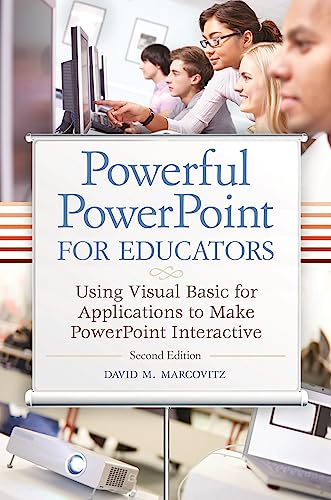

Powerful PowerPoint for educators using Visual Basic for applications to make PowerPoint interactive David M. Marcovitz.
Detalles de publicación: Santa Barbara, Calif. Libraries Unlimited c2012.Edición: 2nd edDescripción: xvii, 270 p. ill. 24 cmISBN:- 9781610691369 (hardcopy : alk. paper)
- 1610691369 (hardcopy : alk. paper)
- 9781610691376 (ebooks)
- 1610691377 (ebooks)
- 005.58 M3219p2 23
- T385 .M36345 2012
| Imagen de cubierta | Tipo de ítem | Biblioteca actual | Biblioteca de origen | Colección | Ubicación en estantería | Signatura topográfica | Materiales especificados | Info Vol | URL | Copia número | Estado | Notas | Fecha de vencimiento | Código de barras | Reserva de ítems | Prioridad de la cola de reserva de ejemplar | Reservas para cursos | |
|---|---|---|---|---|---|---|---|---|---|---|---|---|---|---|---|---|---|---|
| Referencia | Biblioteca Encarnación Valdés Sala de Referencia bev | 005.58 M3219p2 (Navegar estantería(Abre debajo)) | Disponible | 80000002490376 | ||||||||||||||
| Libro | Biblioteca Encarnación Valdés Colección General bev | 005.58 M3219p2 (Navegar estantería(Abre debajo)) | Disponible | 80000002490244 |
Descripciones mejoradas de Syndetics:
This timely book helps educators unleash the interactive potential of PowerPoint to build their own multimedia material that perfectly matches the needs of their students.
While PowerPoint affords powerful capabilities for creating dynamic classroom lessons and enriching curriculum, few educators understand how to take advantage of these built-in features. The second edition of this practical guide helps educators produce creative multimedia material for their students, regardless of their level of programming proficiency.
Powerful PowerPoint for Educators: Using Visual Basic for Applications to Make PowerPoint Interactive, Second Edition discusses the educational benefits of multimedia instruction and provides a review of intermediate PowerPoint skills. Author David Marcovitz explains the concept of Visual Basic for Applications (VBA) scripting and provides progressively advanced skills and practice examples. While other books that describe VBA are written in a highly technical manner, this book is geared toward educators with little or no programming background and includes tips for modifying the practice examples for their own interactive multimedia projects.
Includes bibliographical references (p. [261]-262) and index.
Tabla de contenidos provista por Syndetics
- Preface(p. xiii)
- Chapter 1 Multimedia Design(p. 1)
- Introduction(p. 1)
- Vocabulary(p. 1)
- What is Multimedia?(p. 2)
- The Design Process(p. 3)
- Project Organization(p. 5)
- Metaphors(p. 6)
- Storyboards and Flowcharts(p. 8)
- Designing Assignments for Your Students(p. 8)
- Conclusion(p. 11)
- Chapter 2 Getting Started(p. 13)
- Introduction(p. 13)
- Vocabulary(p. 13)
- PowerPoint, Windows, and Mac OS Settings(p. 14)
- 1 Stop Hiding File Extensions(p. 14)
- 2 Install a Local Printer Driver (Windows Only)(p. 14)
- 3 Sounds Settings for PowerPoint 2007/2008 and Earlier(p. 14)
- 4 Show the Developer Tab in the Ribbon(p. 15)
- 5 Set Macro Security(p. 15)
- 6 Create a Folder and Save(p. 16)
- PowerPoint File Types(p. 16)
- PowerPoint Versions(p. 18)
- Opening a File with Macros(p. 20)
- Conclusion(p. 22)
- Chapter 3 Traditional and Multimedia Features of PowerPoint(p. 23)
- Introduction(p. 23)
- Vocabulary(p. 24)
- Inserting Images(p. 24)
- Photo Albums(p. 28)
- Sounds(p. 29)
- Linking and Embedding Sounds (PowerPoint 2007/2008 and Earlier)(p. 30)
- Hypertext Links(p. 31)
- Linking within Your Presentation(p. 32)
- Linking outside Your Presentation: Web Pages and Other Documents(p. 34)
- Buttons(p. 35)
- Text of Buttons(p. 38)
- Sounds for Buttons(p. 39)
- Aligning Objects and Other Details(p. 42)
- Trigger Animations (Windows Only)(p. 44)
- Controlling Navigation with Kiosk Mode(p. 48)
- Saving as a PowerPoint Show(p. 49)
- Conclusion(p. 49)
- Exercises to Try(p. 50)
- Chapter 4 Introducing Visual Basic ® for Applications(p. 53)
- Introduction(p. 53)
- Vocabulary(p. 53)
- What is Visual Basic for Applications?(p. 53)
- What is an Object-Oriented Programming Language?(p. 55)
- Conclusion(p. 57)
- Exercises to Try(p. 58)
- Chapter 5 Getting Started with VBA(p. 61)
- Introduction(p. 61)
- Vocabulary(p. 61)
- Accessing the VBA Editor(p. 61)
- What if it Didn't Work?(p. 63)
- Help! I've Lost My Windows(p. 63)
- Be a Scripter: Change Things in Quotes(p. 64)
- Subroutine, Procedure, or Macro(p. 64)
- Tying Your VBA Script to a PowerPoint Button(p. 65)
- Tying Your VBA Script to Any Object(p. 66)
- What's in a Name?(p. 66)
- Changing a Button(p. 67)
- Securing Your VBA Script from Prying Eyes(p. 68)
- Conclusion(p. 69)
- Exercise to Try(p. 69)
- Chapter 6 Let's Get Scripting(p. 71)
- Introduction(p. 71)
- Vocabulary(p. 71)
- Variables and Getting Input(p. 71)
- Variable Declarations(p. 73)
- Variable Types(p. 75)
- The YourName Procedure and Abstraction(p. 77)
- Force the Student to Type Something(p. 78)
- What Else? A Personal Response and a Short-Answer Question(p. 80)
- Running Your Scripts(p. 82)
- Calling a Procedure from Another Procedure(p. 83)
- Putting it Together: A Complete Quiz(p. 85)
- Conclusion(p. 86)
- Exercises to Try(p. 86)
- Chapter 7 A Scripting Bag of Tricks(p. 87)
- Introduction(p. 87)
- Vocabulary(p. 87)
- Comments(p. 88)
- Navigation: Moving from Slide to Slide(p. 88)
- The Secrets of the MsgBox(p. 90)
- Procedures, Functions, and Parentheses(p. 92)
- Hiding and Showing PowerPoint Objects(p. 94)
- Let's Get Started: Initializing Your Presentation(p. 95)
- Referencing Objects by Number(p. 97)
- What's in a Name? Finding and Changing Object and Slide Names(p. 98)
- Shape Names(p. 99)
- Slide Names(p. 100)
- Using Names(p. 101)
- Let's Get Started Again(p. 102)
- This Slide or Another Slide(p. 105)
- I Lost My Shapes(p. 106)
- Putting the Student's Input into a Box(p. 107)
- Manipulating Text in Objects(p. 109)
- With Blocks(p. 109)
- Adding Text(p. 110)
- Manipulating Parts of Text in an Object(p. 113)
- What Can You Change(p. 114)
- Other Things You Can Do to Text(p. 115)
- Manipulating Text: The Mystery Example(p. 115)
- Conclusion(p. 120)
- Exercises to Try(p. 120)
- Chapter 8 Quizzes and Tests(p. 121)
- Introduction(p. 121)
- Vocabulary(p. 121)
- Simple Multiple-Choice Quizzes(p. 122)
- Keeping Score(p. 123)
- Try Again: Answer Until it's Right(p. 125)
- Short-Answer Quiz Questions(p. 127)
- Do Spelling and Spacing Count?(p. 128)
- Bonus Trick: Three Tries(p. 130)
- Try Again and Again: Answer Again After it's Right(p. 132)
- How Did You Do: Reporting Results to the Teacher(p. 136)
- Learn First, Ask Questions Later: The Tutorial and Quiz(p. 146)
- Lost in Hyperspace: Where Have I Been?(p. 146)
- Hide the Quiz Button(p. 150)
- Conclusion(p. 153)
- Exercises to Try(p. 153)
- Chapter 9 More Tricks for Your Scripting Bag(p. 155)
- Introduction(p. 155)
- Vocabulary(p. 155)
- Conditionals: The if Statement(p. 156)
- Looping(p. 159)
- While Loops(p. 159)
- Do Loops(p. 162)
- For Next Loops(p. 163)
- For Each Loops(p. 163)
- Infinite Loops(p. 164)
- Parameters(p. 165)
- Timed Functions(p. 166)
- Saving and Quitting(p. 170)
- Adding PowerPoint Objects(p. 172)
- Arrays(p. 175)
- I Don't Know How Many Questions: ReDim to the Rescue(p. 178)
- Which Button Did I Press?(p. 180)
- Random Numbers(p. 186)
- Randomly Generated Questions(p. 187)
- Keeping Score(p. 188)
- Try Again: Answer Until it's Right(p. 189)
- Choose Questions Randomly from a Pool(p. 189)
- Ask How Many Questions You Want(p. 192)
- Keeping Score(p. 192)
- Conclusion(p. 194)
- Exercises to Try(p. 194)
- Chapter 10 Advanced Scripting Tricks(p. 195)
- Introduction(p. 195)
- Vocabulary(p. 195)
- Tags(p. 195)
- More Tags(p. 199)
- Stop in the Middle: Saving State(p. 199)
- Writing to a File(p. 202)
- Reading from a File(p. 205)
- Communicating with Excel(p. 212)
- Conclusion(p. 215)
- Exercises to Try(p. 216)
- Chapter 11 Debugging Tips(p. 217)
- Introduction(p. 217)
- Vocabulary(p. 217)
- My Scripts Always Work the First Time(p. 218)
- Testing for Bugs(p. 218)
- No News is Bad News(p. 219)
- Pebkac Errors(p. 220)
- The Error in Red(p. 220)
- I'm Not Seeing Red, but I'm Seeing Red(p. 223)
- Commenting Out(p. 225)
- Compiling Your Code(p. 226)
- Debugger(p. 228)
- An Ounce of Prevention(p. 228)
- Capitalization(p. 229)
- Don't Capitalize to Prevent Bugs(p. 230)
- Naming Conventions(p. 231)
- Option Explicit(p. 232)
- Indenting(p. 232)
- Hints from the VBA Editor(p. 234)
- VBA Help(p. 236)
- Common Bugs(p. 237)
- Multiple Modules(p. 237)
- Duplicate Variables(p. 237)
- Duplicate Procedures(p. 238)
- Extra End Sub(p. 238)
- The Forgotten Dim(p. 239)
- Exclamation Points in File Names(p. 239)
- Debugging Steps(p. 239)
- Error Trapping(p. 240)
- Bugs That Aren't Your Fault(p. 243)
- Final Word on Debugging and Error Prevention(p. 243)
- Conclusion(p. 243)
- Exercises to Try(p. 244)
- Chapter 12 Templates(p. 247)
- Introduction(p. 247)
- Vocabulary(p. 247)
- What Are Templates?(p. 247)
- Saving Your Template(p. 249)
- The Pick-a-Partner Template Project(p. 251)
- Conclusion(p. 257)
- Exercises to Try(p. 257)
- Epilogue(p. 259)
- References(p. 261)
- Index(p. 263)