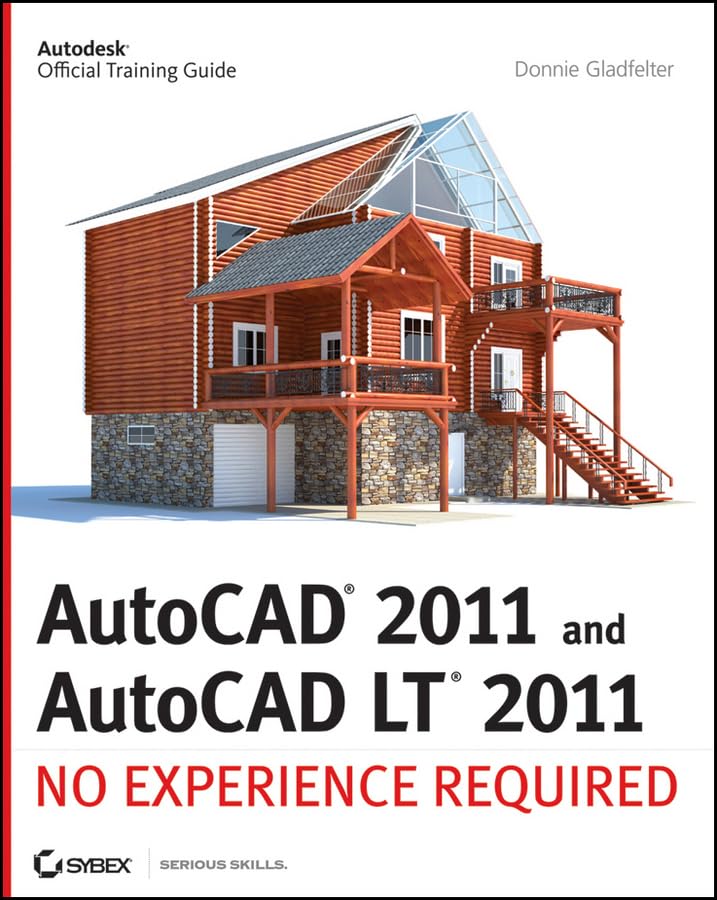

AutoCAD 2011 and AutoCAD LT 2011 [electronic resource] no experience required Donnie Gladfelter.
Idioma: Español Series Autodesk official training guideDetalles de publicación: Hoboken, NJ Wiley Pub. c2010.Edición: 1st edDescripción: 1 online resource (xxv, 982 p.) illISBN:- 9780470602164 (pbk.)
- 0470602163 (pbk.)
- 9780470901427 (electronic bk.)
- 047090142X (electronic bk.)
- 620/.00420285536 22
- T385 .G573 2010
| Imagen de cubierta | Tipo de ítem | Biblioteca actual | Biblioteca de origen | Colección | Ubicación en estantería | Signatura topográfica | Materiales especificados | Info Vol | URL | Copia número | Estado | Notas | Fecha de vencimiento | Código de barras | Reserva de ítems | Prioridad de la cola de reserva de ejemplar | Reservas para cursos | |
|---|---|---|---|---|---|---|---|---|---|---|---|---|---|---|---|---|---|---|
| Libro Referencia CARIBET | CARIBET Biblioteca Arquitectura Colección de Referencia CARIBET | T385.G573 2010 (Navegar estantería(Abre debajo)) | Disponible | 91000000023226 |
Descripciones mejoradas de Syndetics:
A step-by-step tutorial on AutoCAD and AutoCAD LT basics
AutoCAD is the leading drawing software, used by design and drafting professionals to create 2D and 3D technical drawings. This tutorial is aimed at AutoCAD novices and provides you with the essentials you need so you can acquire the necessary skills to work in AutoCAD and AutoCAD LT immediately.
You'll begin with the basics and gradually progress to more advanced topics and features, such as grouping, elevations, hatches, and using text in drawings. Concise explanations, focused examples, and step-by-step instructions round out this hands-on tutorial.
Begins with the basics of AutoCAD and AutoCAD LT, the leading 2D and 3D drawing software Progresses to more advanced topics and skill sets and covers grouping, hatches, and text in drawings Introduces dimensioning, external references, layouts and printing, and using 3D Contains helpful examples and step-by-step instructions so you can get started using AutoCAD immediatelyFeaturing the most up-to-date techniques, tactics, industry standards, and methods, this tutorial will get you started using AutoCAD and AutoCAD LT right away.
"Autodesk official training guide."
Includes index.
"A step-by-step tutorial on AutoCAD and AutoCAD LT basics. AutoCAD is the leading drawing software, used by design and drafting professionals to create 2D and 3D technical drawings. This tutorial is aimed at AutoCAD novices and provides you with the essentials you need so you can acquire the necessary skills to work in AutoCAD and AutoCAD LT immediately. You'll begin with the basics and gradually progress to more advanced topics and features, such as grouping, elevations, hatches, and using text in drawings. Concise explanations, focused examples, and step-by-step instructions round out this hands-on tutorial. Begins with the basics of AutoCAD and AutoCAD LT, the leading 2D and 3D drawing software. Progresses to more advanced topics and skill sets and covers grouping, hatches, and text in drawings. Introduces dimensioning, external references, layouts and printing, and using 3D Contains helpful examples and step-by-step instructions so you can get started using AutoCAD immediately. Featuring the most up-to-date techniques, tactics, industry standards, and methods, this tutorial will get you started using AutoCAD and AutoCAD LT right away."-- Provided by publisher.
Tabla de contenidos provista por Syndetics
- 1 Getting to know AutoCAD
- 2 Learning Basic Commands to Get Started
- 3 Setting Up a Drawing
- 4 Developing Drawing Strategies, pt.1
- 5 Developing Drawing Strategies, pt.2
- 6 Using Layers to Organize Your Drawing
- 7 Combining Objects into Blocks
- 8 Controlling Text in a Drawing
- 9 Using Dynamic Blocks and Tables
- 10 Generating Elevations
- 11 Working with Hatches, Gradients, and Tool Palettes
- 12 Dimensioning a Drawing
- 13 Managing External References
- 14 Using Layouts to Set Up a Print
- 15 Printing an AutoCAD Drawing
- 16 Creating 3D Geometry
- 17 Rendering and Materials
Notas de autor provistas por Syndetics
Donnie Gladfelter is a highly visible and respected thought leader in the CAD community. He is well known for his CAD Geek blog (www.thecadgeek.com), has written many articles for the popular AUGIWorld magazine, and is a top-rated speaker at Autodesk University and other industry events. He has worked with the development team at Autodesk to help shape future versions of AutoCAD, and the company has featured him in numerous video interviews, including their popular "Ask the Expert" series. Donnie also helps empower CAD professionals by providing training and services to companies around the world as a member of the Autodesk User Group International Board of Directors.