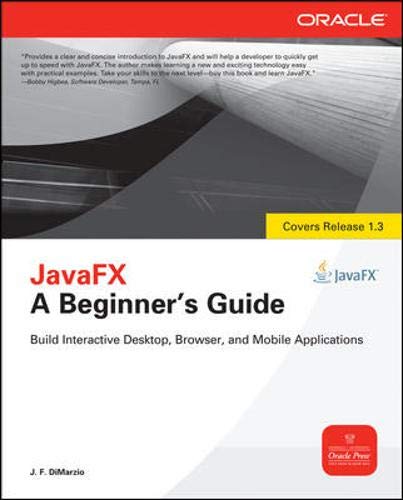

JavaFX a beginner's guide J.F. DiMarzio.
Series Oracle PressDetalles de publicación: New York McGraw-Hill c2011.Descripción: xv, 300 p. ill. 24 cmISBN:- 9780071742412
- 005.13/3 22
- QA76.73.J38 D56 2011
- COM051280
| Imagen de cubierta | Tipo de ítem | Biblioteca actual | Biblioteca de origen | Colección | Ubicación en estantería | Signatura topográfica | Materiales especificados | Info Vol | URL | Copia número | Estado | Notas | Fecha de vencimiento | Código de barras | Reserva de ítems | Prioridad de la cola de reserva de ejemplar | Reservas para cursos | |
|---|---|---|---|---|---|---|---|---|---|---|---|---|---|---|---|---|---|---|
| Libro | Biblioteca de Mayagüez Colección General mb | QA76.73 .J38 D56 2011 (Navegar estantería(Abre debajo)) | Disponible | 50000003205605 |
Descripciones mejoradas de Syndetics:
This practical introductory guide teaches you how to build rich interactive content with JavaFX.
eigm 07/2011
"Covers release 1.3"--Cover.
Includes index.
"Create immersive, interactive environments for any platform. JavaFXTM: A Beginner's Guide begins by explaining the technology behind JavaFX and quickly moves on to installing the JavaFX development environment and tools, including the JavaFX SDK, the Java SE JDK, and NetBeans. Then, you'll learn how to develop desktop, browser, and mobile applications with ease. The book covers effects and transformations, animation, events, and Swing components. Techniques for creating custom nodes, embedding video and music, using JavaFX layouts, and styling with CSS are also discussed"-- Provided by publisher.
Introduction to JavaFX -- Setting the scene -- Hello world -- Creating shapes -- Using colors and gradients -- Using images -- Applying effects and transformations -- Basic animation -- Using events -- Give it some swing -- Custom nodes and overriding -- Embedded video and music -- Using JavaFX layouts -- Style your JavaFX with CSS -- Deploying JavaFX -- Node property reference -- JavaFX command-line arguments -- Answers to self tests.
Tabla de contenidos provista por Syndetics
- Acknowledgments(p. xiii)
- Introduction(p. xv)
- 1 Introduction to JavaFX(p. 1)
- What Is JavaFX?(p. 2)
- What Is Needed for JavaFX Development?(p. 2)
- Required Skills and Knowledge(p. 3)
- Required Software(p. 4)
- Downloading and Installing the Required Software(p. 4)
- NetBeans(p. 4)
- Try This: Configure Your NetBeans(p. 7)
- Chapter 1 Self Test(p. 8)
- 2 Setting the Scene(p. 9)
- Creating a New JavaFX Project(p. 10)
- The Empty JavaFX Project(p. 12)
- Adding Working Files to Your Project(p. 15)
- Exploring the Empty Project in NetBeans(p. 15)
- Working with the Script File(p. 19)
- The Comments(p. 19)
- The package Statement(p. 20)
- Your First Stage(p. 21)
- Inserting the Stage Snippet(p. 21)
- A JavaFX Script Primer(p. 23)
- Name-Value Pairs(p. 23)
- Compiling Your JavaFX Script(p. 24)
- Chapter 2 Self Test(p. 25)
- 3 Hello World(p. 27)
- Writing to the Screen(p. 28)
- Adding Some Descriptive Comments(p. 30)
- Adding the Stage and Scene(p. 30)
- Adding Some Text(p. 31)
- Try This: Create a TV Run Configuration(p. 40)
- Adding a Function(p. 40)
- Using bind with a Text Node(p. 46)
- Chapter 3 Self Test(p. 50)
- 4 Creating Shapes(p. 51)
- Drawing Shapes(p. 52)
- Before You Begin(p. 52)
- Lines and Polylines(p. 53)
- Rectangles(p. 61)
- Polygons(p. 64)
- Arcs(p. 65)
- Circles and Ellipses(p. 68)
- Try This: Create Multiple Shapes(p. 70)
- Chapter 4 Self Test(p. 70)
- 5 Using Colors and Gradients(p. 71)
- Using Color(p. 72)
- Predefined Colors(p. 72)
- Mixing Colors(p. 74)
- Using Gradients(p. 77)
- LinearGradients(p. 77)
- RadialGradients(p. 81)
- Try This: Create a Custom Gradient(p. 82)
- Chapter 5 Self Test(p. 83)
- 6 Using Images(p. 85)
- The Image View Node(p. 86)
- The Image Class(p. 87)
- JavaFX Production Suite(p. 91)
- Using an FXZ File in JavaFX(p. 96)
- Try This: Working with Different Image Types(p. 99)
- Chapter 6 Self Test(p. 99)
- 7 Applying Effects and Transformations(p. 101)
- Effects(p. 106)
- Bloom(p. 106)
- Color Adjust(p. 109)
- GaussianBlur(p. 110)
- Glow(p. 113)
- DropShadow(p. 116)
- InvertMask(p. 119)
- Lighting(p. 120)
- SepiaTone(p. 123)
- Transformations(p. 125)
- XY Transformations(p. 125)
- Rotation(p. 127)
- PerspectiveTransform(p. 128)
- Try This: Combining Multiple Effects(p. 129)
- Chapter 7 Self Test(p. 130)
- 8 Basic Animation(p. 131)
- Timelines(p. 133)
- Animating Along a Path(p. 139)
- Try This: Create a Path Animation(p. 145)
- Chapter 8 Self Test(p. 145)
- 9 Using Events(p. 147)
- What Are Events?(p. 148)
- Mouse Events(p. 148)
- Key Events(p. 157)
- Chapter 9 Self Test(p. 161)
- 10 Give It Some Swing(p. 163)
- What Is Swing?(p. 164)
- Swing Components(p. 165)
- SwingButton(p. 166)
- SwingCheckBox(p. 173)
- SwingComboBox and SwingComboBoxItem(p. 176)
- Try This: Create an Application with Swing(p. 180)
- Chapter 10 Self Test(p. 181)
- 11 Custom Nodes and Overriding(p. 183)
- Overriding a Node(p. 184)
- Creating a RoundButton(p. 186)
- Creating a Custom Node(p. 192)
- Try This: Create Your Own Shapes(p. 199)
- Chapter 11 Self Test(p. 199)
- 12 Embedded Video and Music(p. 201)
- Playing Video(p. 203)
- Creating a Play/Pause Button(p. 207)
- Creating a Progress Indicator(p. 211)
- Playing Audio(p. 216)
- Chapter 12 Self Test(p. 218)
- 13 Using JavaFX Layouts(p. 219)
- The HBox(p. 221)
- The VBox(p. 225)
- Nested Layouts(p. 227)
- Try This: Using Other Layouts(p. 230)
- Chapter 13 Self Test(p. 231)
- 14 Style Your JavaFX with CSS(p. 233)
- Adding a Style Sheet to Your Packages(p. 235)
- Creating a Style(p. 238)
- Using Your Styles(p. 239)
- Creating Independent Style Classes(p. 241)
- Try This: Experimenting with Styles(p. 244)
- Chapter 14 Self Test(p. 244)
- A Deploying JavaFX(p. 247)
- Deploying JavaFX(p. 248)
- B Node Property Reference(p. 253)
- Node Properties(p. 254)
- Mouse Events(p. 256)
- Key Codes(p. 258)
- MediaPlayer Properties(p. 265)
- C JavaFX Command-Line Arguments(p. 267)
- Command-Line Environment(p. 268)
- javafxc(p. 269)
- javafx(p. 274)
- D Answers to Self Tests(p. 279)
- Chapter 1(p. 280)
- Chapter 2(p. 280)
- Chapter 3(p. 281)
- Chapter 4(p. 282)
- Chapter 5(p. 283)
- Chapter 6(p. 283)
- Chapter 7(p. 284)
- Chapter 8(p. 285)
- Chapter 9(p. 286)
- Chapter 10(p. 286)
- Chapter 11(p. 287)
- Chapter 12(p. 288)
- Chapter 13(p. 289)
- Chapter 14(p. 290)
- Index(p. 291)
Notas de autor provistas por Syndetics
J. F. DiMarzio has been a professional Java developer for more than nine years and a professional web developer for more than 15. He now actively works with Java and JavaFX to create stunning user experiences for his clients. DiMarzio has written seven books, including Android: A Programmer's Guide and runs Technical Difficulties, a Java, JavaFX, JQuery, and Android blog at jfdimarzio.com.