Imagen de Amazon.com

Portada de Syndetics
Imagen de OpenLibrary
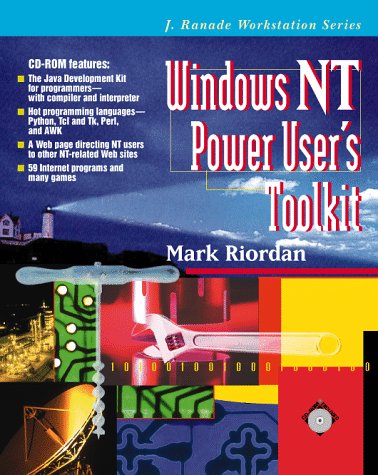
Windows NT power user's toolkit Mark R. Riordan.
Series J. Ranade workstation seriesDetalles de publicación: New York McGraw-Hill c1997.Descripción: xxiii, 530 p. ill. 24 cm. 1 computer laser optical disc (4 3/4 in.)ISBN:- 0079123015
- 005.3 20
- QA76.76.O63 R56 1997
| Imagen de cubierta | Tipo de ítem | Biblioteca actual | Biblioteca de origen | Colección | Ubicación en estantería | Signatura topográfica | Materiales especificados | Info Vol | URL | Copia número | Estado | Notas | Fecha de vencimiento | Código de barras | Reserva de ítems | Prioridad de la cola de reserva de ejemplar | Reservas para cursos | |
|---|---|---|---|---|---|---|---|---|---|---|---|---|---|---|---|---|---|---|
| Libro | Biblioteca Mons. Iñaki Mallona (Arecibo) Colección General ab | 005.3 R585w (Navegar estantería(Abre debajo)) | Disponible | 60000002017678 |
Total de reservas: 0
Descripciones mejoradas de Syndetics:
A collection of interpreted shareware/freeware, organized and selected with power users of Microsoft's high-end operating system, Windows NT, in mind as the target audience.
Includes index.
Tabla de contenidos provista por Syndetics
- Illustrations(p. xvii)
- Preface(p. xix)
- Acknowledgments(p. xxiii)
- Chapter 1. Introduction(p. 1)
- 1.1. Wndows NT: An Operating System with a Future(p. 1)
- 1.2. Windows NT and Shareware/Freeware(p. 2)
- 1.3. About the Reviews(p. 2)
- 1.4. Software Licensing: Shareware, Freeware, and "Joyware"(p. 3)
- 1.4.1. Types of Software Licenses(p. 4)
- 1.4.2. Redistribution and Use of Software(p. 5)
- 1.4.3. Read the License!(p. 5)
- 1.5. About the Association of Shareware Professions(p. 6)
- 1.6. About the Compact Disc(p. 7)
- Chapter 2. Administration Tools(p. 9)
- 2.1. Managing Security(p. 10)
- 2.1.1. NT Security Features(p. 10)
- 2.1.2. Security IDs and Descriptors(p. 11)
- 2.1.3. Permissions(p. 12)
- 2.1.4. Access Control Entries(p. 13)
- 2.1.5. Understanding Access Control Lists(p. 13)
- 2.1.6. User Rights(p. 15)
- 2.1.7. Account Policies(p. 15)
- 2.1.8. Auditing and the Event Log(p. 16)
- 2.1.9. NT's Security Tools(p. 17)
- 2.1.10. Shareware and Freeware Security Utilities(p. 22)
- 2.2. Event Logs(p. 31)
- 2.2.1. Event Log Utilities(p. 33)
- 2.3. The Registry(p. 35)
- 2.3.1. Organization of the Registry(p. 36)
- 2.3.2. Registry Hives(p. 37)
- 2.3.3. NT's Registry Editor(p. 38)
- 2.3.4. Freeware and Shareware for Registry Maintenance(p. 41)
- 2.4. Services(p. 50)
- 2.4.1. Control Panel Services Applet(p. 51)
- 2.4.2. NET Commands: Command-Line Interface for Services Control(p. 52)
- 2.4.3. NETSVC: Remote Control of Services(p. 52)
- 2.4.4. INSTSRV: Install or Remove a Service(p. 53)
- 2.4.5. SRVANY: Run Any NT Application as a Service(p. 54)
- 2.5. User Management(p. 55)
- 2.5.1. User Profile Editor: Manage User Preferences and Settings(p. 56)
- 2.5.2. User Manager for Domains: Assign User Profiles(p. 59)
- 2.5.3. Add Users: Command-Line User Creation(p. 59)
- 2.5.4. SetShell: Set Alternatives to Progman on a Per-User Basis(p. 61)
- 2.6. Time Synchronization(p. 62)
- 2.6.1. TimeServ: Service to Synchronize Time with Many Sources(p. 63)
- 2.6.2. TimeSync: Powerful Multiprotocol Network Time Synchronizer(p. 65)
- 2.6.3. ACTS: Moderm-Based Time Synchronization(p. 66)
- 2.6.4. NTPDATE: Internet Network Time Protocol Client(p. 67)
- 2.6.5. Tardis: Simple UNIX Time Protocol Client and Server(p. 68)
- 2.7. Miscellaneous Administration Utilities(p. 69)
- 2.7.1. Server Manager for Domains: Manage Many Attributes Remotely(p. 69)
- 2.8. Backup Programs(p. 71)
- 2.8.1. Repair Disk: Create Emergency Repair Disk(p. 71)
- 2.8.2. Iktapeutils and tar: UNIX-style tape archiving(p. 72)
- 2.8.3. AutoBackup: NT Backup Scheduler(p. 74)
- 2.8.4. NetBack: NT Backup(p. 75)
- Chapter 3. Process and Performance Management(p. 77)
- 3.1. Processes in Windows NT(p. 77)
- 3.2. Monitoring and Controlling Processes and System Resources(p. 79)
- 3.3. Process Display and Manipulation Utilities(p. 79)
- 3.3.1. PView and PViewer: Detailed Per-Process Viewers and Killers(p. 79)
- 3.3.2. PMon: Running Display of All Processes(p. 81)
- 3.3.3. SysMon: Performance-Oriented Memory, Disk, and Process Monitor(p. 82)
- 3.3.4. TaskView: Attractive GUI Process Viewer/Controller(p. 83)
- 3.3.5. UNIX-like Console PS and KILL Programs(p. 85)
- 3.4. Resource Monitors(p. 88)
- 3.4.1. Tracklt: Small Memory and Disk Monitor(p. 88)
- 3.4.2. NTMem: Minimal Memory Monitor(p. 89)
- 3.4.3. MemStatus: Memory Bar Graph(p. 89)
- 3.4.4. System Monitor 32: Graphical Resource Monitor(p. 90)
- 3.4.5. RESOUR32: Dialog-Based Disk and Memory Monitor(p. 91)
- 3.5. Miscellaneous(p. 92)
- 3.5.1. TaskCtrl: Manipulate NT's Scheduler(p. 92)
- Chapter 4. Operating System Utilities(p. 93)
- 4.1. Command Scheduling and Queuing Programs(p. 93)
- 4.1.1. ntcrond: Command Scheduler with Remote Administration(p. 94)
- 4.1.2. WinAT: Windowed Interface to AT(p. 96)
- 4.1.3. Cron: Flexible, Unpolished Scheduler(p. 96)
- 4.1.4. AutoExNT: NT Equivalent of AUTOEXEC.BAT(p. 97)
- 4.1.5. Batch Job Server: Full-Featured, Security-Conscious Batch Queuing System(p. 98)
- 4.2. Batch File and Scripting Tools(p. 101)
- 4.2.1. KiXtart 95: Enhanced Batch Language and Logon Script Processor(p. 101)
- 4.2.2. Choice: Get Input from the User in Batch File(p. 102)
- 4.2.3. Rec: Make a Command Recursive(p. 103)
- 4.2.4. Sleep: Pause for a Specified Time(p. 104)
- 4.3. Driver Support(p. 104)
- 4.3.1. RAMDISK: DOS-Style Memory-Only Pseudo Disk Drive(p. 105)
- 4.3.2. Drivers: Report on Currently Loaded Drivers(p. 106)
- 4.3.3. CTAPE: SCSI Tape Driver Manager(p. 106)
- 4.4. Executable File Analyzers(p. 107)
- 4.4.1. DLLInfo3: Report on DLL Usage for a .EXE(p. 107)
- 4.4.2. ExeType: Determine Type of Executable(p. 108)
- 4.5. Boot Management(p. 109)
- 4.5.1. Boot Partition: Configure NT's Boot Manager(p. 109)
- 4.5.2. REMBOO: Remotely Reboot a Computer from Command Line(p. 110)
- 4.6. Miscellaneous Utilities(p. 111)
- 4.6.1. Remote: Allow Remote Command Execution(p. 111)
- Chapter 5. Internet Applications(p. 113)
- 5.1. Remote Login Applications and Services(p. 113)
- 5.1.1. Servers for Login and Remote Command Execution(p. 114)
- 5.1.2. Clients for Remote Login: Terminal Emulators and r-Commands(p. 120)
- 5.2. Electronic-Mail-Related Internet Applications and Services(p. 125)
- 5.2.1. BLAT: Simple Email File Sender(p. 125)
- 5.2.2. Sendmail: UNIX-Style Mail Transport(p. 126)
- 5.2.3. EMWAC Internet Mail Services: Easy-to-Configure, Powerful Mail Server(p. 128)
- 5.2.4. NTMail and NTList: Full-Featured Mail Server(p. 129)
- 5.2.5. PULLMAIL: Transfer Mail from a POP3 Mailbox(p. 132)
- 5.2.6. e-Mail Notify: POP3 Mail Checker(p. 133)
- 5.2.7. Qbik Mail Monitor: Multiple POP3 Mailbox Checker(p. 134)
- 5.2.8. RIPEMSIG: Digital Signing of Electronic Mail(p. 135)
- 5.3. World Wide Web Clients and Servers(p. 137)
- 5.3.1. EMWAC HTTPS: Basic HTTP Server(p. 138)
- 5.3.2. CGI PerForm(p. 139)
- 5.3.3. Web Wizard: Simple HTML Authoring Tool(p. 141)
- 5.3.4. CMed: HTML Authoring Tool for Experts(p. 142)
- 5.3.5. Analyse: Web Server Statistics Summarizer(p. 143)
- 5.3.6. EMWAC WAISS and WAIS Toolkit: Full-Text Indexing Server(p. 144)
- 5.3.7. GOPHERS: EMWAC Basic Gopher Server(p. 145)
- 5.4. Usenet News Clients and Servers(p. 147)
- 5.4.1. NNS: News Server for Large Newsfeeds(p. 148)
- 5.4.2. Slurp: Retrieve Usenet News from Remote Server(p. 150)
- 5.4.3. Tin: Powerful Console-Mode Newsreader(p. 151)
- 5.4.4. WinVN: Friendly Windowed Newsreader(p. 153)
- 5.5. Miscellaneous Internet Applications and Services(p. 156)
- 5.5.1. Micro X-Win32: X Windows Server(p. 156)
- 5.5.2. QVT/Net: Bundled Multipurpose Internet Clients and Servers(p. 157)
- 5.5.3. WS_FTP Feature-Packed, Convenient FTP Client(p. 161)
- 5.5.4. CuteFTP: Powerful FTP Client(p. 163)
- 5.5.5. Archie: FTP Database Query Tool(p. 164)
- 5.5.6. Ipr, Ipq, Iprm: Print Files on UNIX Servers(p. 166)
- 5.5.7. Two Windowed Finger Clients(p. 167)
- 5.5.8. FingerD: Full-Featured Finger Server(p. 168)
- 5.5.9. NT FingerService: Finger Server with System Status(p. 169)
- 5.5.10. FingersS: EMWAC Finger Server(p. 170)
- 5.5.11. PPing: Multihost Parallel Ping(p. 171)
- 5.5.12. WS_WATCH: Comprehensive Internet Connectivity Checker(p. 172)
- 5.5.13. WinWhois: Windowed WHOIS Client(p. 174)
- 5.5.14. Nslookup: Complex Domain Name Server Query Tool(p. 175)
- 5.5.15. InterSnoop: Multipurpose Internet Query Tool(p. 176)
- 5.5.16. FBLI DNS: Domain Name Server(p. 178)
- 5.5.17. NTBIND: Port of Berkeley Domain Name Server(p. 180)
- 5.5.18. Here: Let Others Know Your PPP Hostname(p. 181)
- Chapter 6. Communications Software(p. 183)
- 6.1. Serial Communications Software(p. 183)
- 6.1.1. A-Talk: Full-Featured Communications Program(p. 183)
- 6.1.2. PTerm: Capable Console-Based ANSI Terminal Emulator(p. 185)
- 6.1.3. Kermit: Windowed VT102 Emulator with Kermit File Transfer(p. 186)
- 6.2. Fax Software(p. 187)
- 6.2.1. Telcom FAX: Basic Fax Send/Receive(p. 187)
- 6.2.2. Zetafax: Full-Featured Client/Server Fax System(p. 189)
- Chapter 7. Bitmap Graphics Programs(p. 193)
- 7.1. Screen Capture Programs(p. 193)
- 7.1.1. SnapShot/32: Basic Screen Capture Program(p. 194)
- 7.1.2. Clip'nSave: Screen Capture and Bitmap Viewer/Converter Utility(p. 195)
- 7.1.3. Grablt Professional: Basic Screen Capture Utility(p. 196)
- 7.2. Image Viewing and Manipulation Utilities(p. 198)
- 7.2.1. L View Pro: Powerful Bitmap File Viewer/Editor/Converter(p. 198)
- 7.2.2. VuePrint Pro/32: Fast Bitmap File Viewer, Screen Saver, Decoder(p. 201)
- 7.2.3. PixFolio: Image Cataloger, Viewer, and Converter(p. 202)
- 7.2.4. PolyView: Basic Image Viewer and Manipulator(p. 206)
- 7.2.5. Icon Studio: Simple Icon Editor(p. 207)
- 7.2.6. NetPBM: Bitmap Converter/Manipulators from the UNIX World(p. 208)
- 7.2.7. mpeg2play: Basic MPEG Video Player(p. 211)
- Chapter 8. Desktop Customization Utilities(p. 213)
- 8.1. Clicker: Mouse Button Enhancer(p. 213)
- 8.2. CONCOL: Console Text Color Setter(p. 214)
- 8.3. Windesk: Desktop Settings Application(p. 215)
- 8.4. GO3D: Window Border Shader(p. 216)
- 8.5. PUTINGRP: Program Manager Program Item and Group Creator(p. 217)
- 8.6. GDHOOK: See File Dates and Sizes in File Open and Save Dialogs(p. 218)
- 8.7. Media Changer: Random Assigner of Wallpaper and Sounds(p. 218)
- Chapter 9. Desktop Enhancers and Replacements(p. 221)
- 9.1. Drag and Drop Desktop: Desktop-Based Program Manager Replacement(p. 221)
- 9.2. MDESK: Evolving Desktop-Based Program Manager(p. 223)
- 9.3. clySmic Drag 'n' Drop Utilities: Miscellaneous File and Utility Applications(p. 225)
- 9.3.1. Paper Drop: Desktop Wallpaper Switcher(p. 225)
- 9.3.2. Paper Freshener: Reload Wallpaper(p. 225)
- 9.3.3. EXE Type: Executable File Examiner(p. 225)
- 9.3.4. Recycler: File Trashcan(p. 226)
- 9.3.5. EXIT NT: NT Shutdown/Logoff Utility(p. 226)
- 9.3.6. Digital Clock and Analog Clock: Flexible Time of Day and Date(p. 226)
- 9.3.7. General Drop: Drag-and-Drop for Any Application(p. 226)
- 9.3.8. System Information: Memory Usage Reporter(p. 226)
- 9.3.9. clySmic File Manager Extension: Miscellaneous Extensions to File Manager(p. 227)
- 9.4. TopDesk: Multiple Virtual Desktops(p. 227)
- 9.5. Switcher: Windows 95-like Taskbar(p. 229)
- 9.6. TaskTool: Minimal Windows 95-like Taskbar(p. 230)
- 9.7. XBoard: Multiple Clipboard Storage Slots(p. 230)
- 9.8. RipBAR: Full-Featured Application Launcher and Utility(p. 231)
- 9.9. SmilerShell/95: Command-Line-Oriented Launcher/Enhancer(p. 233)
- 9.10. Dock 2000: Simple Application Launcher Toolbar(p. 234)
- 9.11. BananaPC: Simple Application Launcher Toolbar(p. 235)
- 9.12. Rocket Application Launcher: Simple Adjunct to Program Manager(p. 236)
- 9.13. DeZkTop: Desktop-Based Program Launcher(p. 237)
- 9.14. PC-Sweep: File Manager Replacement with Built-in ZIP and Viewers(p. 239)
- 9.15. File Manager StepUp: Enhancements to File Manager(p. 240)
- 9.16. FMViewer: File Manager File Viewing Buttons(p. 242)
- 9.17. FM Applic: Application Launcher for File Manager(p. 242)
- 9.18. Drag and File: Replacement for File Manager(p. 244)
- Chapter 10. Directory Management Utilities(p. 247)
- 10.1. Directory Listing Programs(p. 247)
- 10.1.1. Olovsson Is: NT-Customized UNIX-like Directory Lister(p. 248)
- 10.1.2. GNU Is: NT Port of Powerful UNIX Directory Lister(p. 249)
- 10.2. File Searching Utilities(p. 250)
- 10.2.1. Search: Command-Line File Finder(p. 250)
- 10.2.2. NTFF: Windowed File Finder(p. 251)
- 10.2.3. BIGGEST and LATEST: Utilities to Find Large and Recent Files(p. 253)
- 10.2.4. NTWHICH: Utility to Find Program in Path(p. 254)
- 10.3. Filesystem Analyzers and Disk Space Reporters(p. 255)
- 10.3.1. RipSpace: Windowed Disk Space Analyzer(p. 255)
- 10.3.2. DIRUSE: Command-Line Disk Space Analyzer(p. 256)
- 10.3.3. du: Command-Line Directory Usage Reporter(p. 257)
- 10.3.4. Fragmentation Analysis Utility: Disk Fragmentation Checker(p. 258)
- 10.4. File Time Modification Utilities(p. 259)
- 10.4.1. Stamper: Drag-and-Drop File Timestamper(p. 259)
- 10.4.2. GNU touch: Versatile File Creator and Timestamper(p. 260)
- 10.5. File Deletion Utilities(p. 260)
- 10.5.1. SECDEL: Secure File Deleter(p. 261)
- 10.5.2. File Eater: Well-Designed GUI File Deleter(p. 261)
- 10.5.3. zDEL: Powerful File Deleter and Finder(p. 263)
- 10.5.4. GNU rm: Simple File and Directory Deleter(p. 265)
- 10.6. Miscellaneous File and Directory Utilities(p. 266)
- 10.6.1. Secure Copy: Copy Files and Security Information Between NTFS Partitions(p. 266)
- 10.6.2. Enhanced Change Directory Utility(p. 267)
- Chapter 11. File Manipulation and Viewing Utilities(p. 269)
- 11.1. File Sorters(p. 269)
- 11.1.1. GNU Sort: Powerful Text File Sorter(p. 269)
- 11.1.2. LSORT: Sort Large Files(p. 271)
- 11.2. Raw Disk Viewers and Editors(p. 274)
- 11.2.1. DumpDisk: Raw Disk Sector Editor(p. 274)
- 11.2.2. Hex Workshop: Powerful Binary File and Disk Editor(p. 275)
- 11.2.3. WinImage: Diskette Copier/Image Manipulator(p. 276)
- 11.3. Simple ASCII and Binary File Viewers(p. 277)
- 11.3.1. HEdit32: Binary File Editor Resembling Text Editors(p. 277)
- 11.3.2. File Viewer: ASCII and Binary File Viewer(p. 278)
- 11.3.3. OnScreen/2: Character-Mode Text and Binary File Viewer(p. 281)
- 11.3.4. more: View Textfiles from Command Line(p. 282)
- 11.3.5. QRead: GUI ASCII Viewer with Annotation Capability(p. 284)
- 11.4. More Complex Document Viewers(p. 285)
- 11.4.1. Drag and View: Multiple-Format PC File Viewer(p. 285)
- 11.4.2. Aladdin Ghostscript: Barebones PostScript Viewer(p. 287)
- 11.4.3. GSview: Friendly PostScript Viewer Front End(p. 290)
- 11.4.4. TeX, LaTex, and Metafont: Powerful Typesetting for Mathematics(p. 292)
- 11.4.5. DVIUTIL: TeX DVI to PostScript or HPPCL Converter(p. 294)
- 11.5. File Converters and Encoders(p. 295)
- 11.5.1. ESS-Code: Multiprotocol Printable File Encoder(p. 296)
- 11.5.2. NTUUCODE: Encode or Decode Files Using UUENCODE(p. 297)
- Chapter 12. Text Utilities(p. 299)
- 12.1. Regular Expressions(p. 299)
- 12.2. GNU Text Utilities(p. 301)
- 12.3. GNU Text Utilities and Related Programs(p. 302)
- 12.3.1. expand and unexpand: Convert Between Tabs and Spaces(p. 302)
- 12.3.2. Grep, egrep, and fgrep: Powerful Text File Searchers(p. 302)
- 12.3.3. sed: Copy and Transform Stream of Text(p. 303)
- 12.3.4. csplit: Split File into Multiple Files Based on Content(p. 306)
- 12.3.5. split: Split a File into Equal-Sized Chunks(p. 307)
- 12.3.6. diff: Compare Files Intelligently(p. 308)
- 12.3.7. WinDiff: Compare Files Graphically(p. 309)
- 12.3.8. diff3: Compare Files and Resolve Differences(p. 311)
- 12.3.9. Patch: Patch Files Based on diff Output(p. 312)
- 12.3.10. Cut and Paste: Manipulate Columns of Text(p. 313)
- 12.3.11. Uniq: Remove Duplicate Lines(p. 315)
- 12.3.12. Join: Combine Files Where Fields Match(p. 316)
- 12.3.13. head and tail: Extract Beginning and End of Files(p. 316)
- 12.3.14. wc: Count Lines, Words, and Characters(p. 317)
- 12.3.15. pr: Format Texfile for Printing(p. 317)
- 12.3.16. printf: Output Text from Command Line(p. 318)
- Chapter 13. Compression and Archiving Programs(p. 321)
- 13.1. Zip Manager: Powerful GUI ZIPfile Manager(p. 321)
- 13.2. WinZip: Powerful, Easy GUI ZIPfile Manager(p. 323)
- 13.3. WinPack32D: Spartan Multiformat Archiver(p. 325)
- 13.4. Drag and Zip: Drag-and-Drop ZIP Manager(p. 327)
- 13.4.1. Installation(p. 327)
- 13.4.2. Creating Archives(p. 328)
- 13.4.3. Viewing, Extracting, and Scanning Archives(p. 329)
- 13.5. ZipWhacker: Simple ZIPfile Extractor(p. 329)
- 13.6. ZIP: Powerful Command-Line Archive Creator(p. 330)
- 13.7. unzip: Free ZIPfile Extractor(p. 332)
- 13.8. gzip: GNU Replacement for UNIX Compress(p. 333)
- 13.9. tar: Noncompressing UNIX-Style Archiver(p. 335)
- 13.10. UNARJ: Free ARJfile Extractor(p. 337)
- 13.11. COMPRESS: Microsoft's Software Distribution Compression Program(p. 338)
- 13.12. EXPAND: Microsoft's COMPRESSfile Expander(p. 339)
- Chapter 14. Command Shells(p. 341)
- 14.1. Shells that Emulate NT's Command Processor(p. 341)
- 14.1.1. Take Command/32: Extended DOS-like GUI Command Shell(p. 341)
- 14.1.2. 4DOS for Windows NT: Enhanced Character-Mode Console Replacement(p. 343)
- 14.1.3. WinOne: Windowed Command Shell(p. 344)
- 14.2. UNIX Command Shells(p. 347)
- 14.2.1. MS Shell: Bourne Shell with Korn Extensions(p. 347)
- 14.2.2. Bash: Bourne-Again Shell(p. 351)
- Chapter 15. Programming Languages(p. 353)
- 15.1. Using Interpreters from the Command Line(p. 354)
- 15.2. GCC: GNU C and C++ Compiler and Tools(p. 354)
- 15.3. CEnvi: C Language Interpreter and Command Shell(p. 356)
- 15.3.1. The CEnvi Package(p. 356)
- 15.3.2. The CEnvi Language(p. 357)
- 15.4. Java: C++-derived Language for the Internet(p. 358)
- 15.4.1. The Java Language(p. 358)
- 15.4.2. Java Implementation(p. 359)
- 15.5. GNAT: Implementation of Ada-95(p. 360)
- 15.5.1. Installing and Using the GNAT Compiler(p. 360)
- 15.5.2. The Ada Language(p. 361)
- 15.6. Oberon: Successor to Modula-2 and Pascal(p. 363)
- 15.6.1. The Oberon-2 Language(p. 364)
- 15.6.2. The Oberon System(p. 365)
- 15.7. Icon: Modern, Theoretically Interesting Language(p. 366)
- 15.7.1. The Icon Language(p. 366)
- 15.7.2. The Language Processor(p. 367)
- 15.8. Envelop: Object-oriented Visual Basic Clone(p. 369)
- 15.9. GAWK: C-like Quick-and-Dirty Text Processor(p. 370)
- 15.9.1. The AWK Language(p. 371)
- 15.9.2. The Interpreter(p. 372)
- 15.10. Perl: Full-Featured Multipurpose Interpreted Language(p. 373)
- 15.10.1. The Perl Language(p. 374)
- 15.10.2. The Interpreter(p. 374)
- 15.11. Perl5: Updated Perl with Object Orientation(p. 375)
- 15.11.1. Perl Version 5 Language(p. 376)
- 15.11.2. The NT Interpreter(p. 376)
- 15.12. Python: Modern, Object-Oriented Multipurpose Interpreted Language(p. 377)
- 15.12.1. The Python Language(p. 377)
- 15.12.2. The Python Interpreters(p. 379)
- 15.12.3. The Python Distribution(p. 379)
- 15.13. Regina REXX: NT Port of IBM Scripting Language(p. 380)
- 15.13.1. The REXX Language(p. 380)
- 15.13.2. The NT Interpreter(p. 382)
- 15.14. J: Successor to APL, a Concise Array-Oriented Language(p. 382)
- 15.14.1. The J Language(p. 382)
- 15.14.2. The J Interpreter(p. 384)
- 15.15. WIN32For: Forth, a Small RPN-Based Language(p. 384)
- 15.15.1. The Forth Language(p. 384)
- 15.15.2. The WIN32 For Interpreter(p. 386)
- 15.16. Jax4th: Small, Command-Line Forth Implementation(p. 387)
- 15.16.1. The Language(p. 387)
- 15.16.2. Jax 4th Implementation(p. 387)
- 15.17. Tcl/Tk: GUI-Capable Embeddable Scripting Language(p. 388)
- 15.17.1. The Tcl Language(p. 389)
- 15.17.2. The Tcl Distribution(p. 390)
- Chapter 16. Text Editors(p. 391)
- 16.1. GUI NT Native Text Editors(p. 391)
- 16.1.1. Programmer's File Editor: Fast, Configurable Editor(p. 392)
- 16.1.2. TextPad: GUI Text Editor with Sophisticated Searching(p. 395)
- 16.1.3. UltraEdit-32: Simple Text Editor with Columns and Binary Editing(p. 396)
- 16.1.4. ARIS EDIT: Capable C Programming-Oriented Editor(p. 398)
- 16.1.5. Editeur: Entry-level GUI Text Editor(p. 401)
- 16.1.6. WinEdit: Powerful, Immature Programmer's Editor/Development Environment(p. 402)
- 16.1.7. EcopadNT: Simple Notepad Replacement with Multipage Printing(p. 405)
- 16.2. EMACS Implementation(p. 406)
- 16.2.1. GNU EMACS: The Ultimate Powerful Editor/Programming Environment(p. 406)
- 16.2.2. notGNU: Windowed Clone of EMACS(p. 409)
- 16.2.3. MicroEMACS: Windowed Clone of EMACS(p. 412)
- 16.3. vi: Ubiquitous UNIX Visual Editor(p. 414)
- 16.3.1. Using vi(p. 415)
- 16.3.2. ELVIS: Fast, No-Frills vi Implementation(p. 415)
- 16.3.3. LEMMY: Windowed Version of ELVIS(p. 416)
- 16.3.4. Vim: vi Improved(p. 417)
- 16.4. Other Character-Mode Editors(p. 419)
- 16.4.1. ed: Bare-Bones Historical UNIX Editor(p. 419)
- 16.4.2. Sandmann ED: VAX/VMS EDT Emulator(p. 422)
- Chapter 17. Utilities for Programmers(p. 425)
- 17.1. Source Code Maintenance Utilities(p. 425)
- 17.1.1. Tags: Generate UNIX-Style Source Code Cross-Reference(p. 425)
- 17.1.2. Indent: Reformat C Source(p. 426)
- 17.1.3. Revision Control System: Source Code Version Control(p. 428)
- 17.1.4. CVS: Front End to RCS Source Code Version Control System(p. 430)
- 17.1.5. Interactive Cross Reference for Windows NT: On-Line Source Indexer(p. 432)
- 17.1.6. Microsoft Visual C++ Browser Toolkit for Windows NT(p. 433)
- 17.2. Binary File Inspectors(p. 435)
- 17.2.1. objdump: GNU Executable Reporter and Disassembler(p. 435)
- 17.2.2. NEWEXE: In-Depth Executable Dumper(p. 435)
- 17.2.3. RES32: GUI Resource Viewer(p. 436)
- 17.3. Specialized Development Tools(p. 437)
- 17.3.1. Flex: Code Generator for Lexical Analysis(p. 437)
- 17.3.2. Yacc: Language Parser Generator(p. 438)
- 17.4. Tools to Aid the Application Building Process(p. 439)
- 17.4.1. Make: Powerful, Quirky Build Facility(p. 439)
- 17.4.2. Makedepend: Helper for Make(p. 441)
- 17.5. Miscellaneous Developer Support Utilities(p. 442)
- 17.5.1. Freeman Installer: Tools to Create Custom Software Distributions(p. 442)
- 17.5.2. CRC Tool: Create Database to Manage Object-Oriented Design(p. 447)
- 17.5.3. MDiff-MPatch: Binary File Patcher(p. 448)
- Chapter 18. Business, Productivity, and Engineering Programs(p. 451)
- 18.1. Time-Tracking Programs(p. 451)
- 18.1.1. NoteZ: Note-Based Calendar/Reminder(p. 451)
- 18.1.2. Responsive Time Logger: Full-Featured Time Accounting System(p. 453)
- 18.1.3. Milestones, Etc.: Project Management Software(p. 454)
- 18.2. Asset-Tracking Programs(p. 456)
- 18.2.1. Money Smith: Money Management System(p. 456)
- 18.3. Personal Databases(p. 459)
- 18.3.1. PSA Cards: High-End Address and Phone Cardfile Database(p. 459)
- 18.3.2. Practical Phonebook: Phone/Address Book with Dialer and Chat(p. 461)
- 18.3.3. Vault: Outline-Based Organizer(p. 463)
- 18.4. Drawing Programs(p. 464)
- 18.4.1. SmartDraw: Powerful Business Drawing Program(p. 464)
- 18.4.2. DeltaCad: Basic CAD Program(p. 466)
- 18.5. Calculators(p. 467)
- 18.5.1. WinHP: Basic Hewlett-Packard-Style RPN Calculator(p. 467)
- 18.5.2. Calc95: Small, Powerful Scientific Calculator(p. 468)
- 18.5.3. Math: Command-line Calculator with Functions and Variables(p. 469)
- 18.5.4. Qwik Convert32: Simple Unit Conversion(p. 470)
- 18.6. Miscellaneous Applications(p. 470)
- 18.6.1. WinPLOT: Data Analysis and Display(p. 470)
- 18.6.2. StopWatch: Simple GUI Stopwatch(p. 471)
- 18.6.3. InOut: People Tracker(p. 472)
- Chapter 19. Games(p. 473)
- 19.1. Frontier: Star Trek-like Arcade-Style Game(p. 473)
- 19.2. SWINE: Netrek Star Trek Game Client(p. 474)
- 19.3. NetHack: Classic Role-Playing Game(p. 475)
- 19.3.1. NetHack: The Game(p. 475)
- 19.3.2. Installing NetHack(p. 476)
- 19.4. WinChess: Full-Featured GUI Chess Program(p. 476)
- 19.5. Arason: Another Well-Done GUI Chess Program(p. 478)
- 19.6. Moraff's Morejongg: Highly Configurable Mahjongg(p. 479)
- Appendix A Sources for NT Software and Information(p. 480)
- A.1. Internet Sources(p. 481)
- A.2. Internet Newsgroups(p. 482)
- A.3. On-Line Services(p. 482)
- A.4. Products and Services from Microsoft(p. 483)
- A.4.1. Windows NT Resource Kit(p. 483)
- A.4.2. Microsoft Developer Network(p. 484)
- A.4.3. Microsoft Technical Information Network (TechNet)(p. 485)
- A.4.4. Service Packs(p. 485)
- Appendix B Software in This Book(p. 487)
- Appendix C License and Copyright Statements(p. 511)
- C.1. License Terms for the Microsoft Windows NT Resource Kit(p. 511)
- C.2. License Terms for GNU Software(p. 512)
- C.3. Copyright Statement for EMWAC Software(p. 517)
- C.4. Copyright Statement for ESS-Code(p. 518)
- C.5. Copyright Statement for Finger32(p. 518)
- C.6. Copyright Statement for Flex(p. 518)
- C.7. Copyright Statement for Indent(p. 519)
- C.8. Copyright Statement for More, Sendmail, NTBIND(p. 519)
- C.9. Copyright Statements for NetPBM(p. 520)
- C.10. Java(tm)/HotJava(tm) Binary Code License(p. 522)
- C.11. Copyright Statement for Whois(p. 522)
- Index(p. 525)