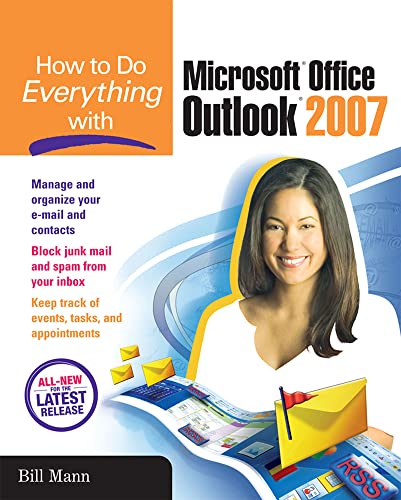

How to do everything with Microsoft Office Outlook 2007 Bill Mann.
Detalles de publicación: New York McGraw-Hill c2007.Descripción: xxiv, 466 p. ill. 23 cmISBN:- 0072263385 (pbk.)
- 9780072263381 (pbk.)
- Microsoft Office Outlook 2007
- Outlook 2007
- 005.57 M2811h 22
- HF5548.4.M5255 M36 2007
| Imagen de cubierta | Tipo de ítem | Biblioteca actual | Biblioteca de origen | Colección | Ubicación en estantería | Signatura topográfica | Materiales especificados | Info Vol | URL | Copia número | Estado | Notas | Fecha de vencimiento | Código de barras | Reserva de ítems | Prioridad de la cola de reserva de ejemplar | Reservas para cursos | |
|---|---|---|---|---|---|---|---|---|---|---|---|---|---|---|---|---|---|---|
| Libro | Biblioteca Encarnación Valdés Colección General bev | 005.57 M2811h (Navegar estantería(Abre debajo)) | Disponible | 80000002344839 |
Descripciones mejoradas de Syndetics:
Publisher's Note: Products purchased from Third Party sellers are not guaranteed by the publisher for quality, authenticity, or access to any online entitlements included with the product.
Get the most out of the all-new release of Outlook
Centralize communications and schedule management with Outlook 2007 using this easy-to-use guide. Get a quick tour of new and updated Outlook features, including the redesigned interface, then dig into managing your e-mail; recording and tracking appointments and upcoming events; integrating with other Office applications; and much more. With valuable tips on customization, security, and mobilizing your Outlook data, this is a must-have resource for every Outlook 2007 user.
Navigate the new interface and learn keyboard shortcutsManage multiple e-mail accounts, create folders, and automate mail handling
Learn advanced e-mail management strategies, such as intelligent grouping, filtering, and Color Categories
Create Tasks and To-Do items and use the To-Do Bar
Create search folders, plus manage and archive information
Navigate the Notes and Journal functions
Customize the user interface, including toolbars and menus
Secure your account and block junk mail and spam
Mobilize your Outlook data so you can stay connected while on the road
Use Outlook with Microsoft Exchange and SharePoint Services
Connect Hotmail and Gmail accounts to Outlook
Includes index.
Tabla de contenidos provista por Syndetics
- Part I Get Acquainted With Outlook 2007
- Chapter 1 Meet Outlook 2007
- Chapter 2 Get Ready to Dig In
- Part II Communicate Using Outlook 2007
- Chapter 3 Send and Receive E-mail
- Chapter 4 Manage Your E-mail
- Chapter 5 Use Address Books and Distribution Lists
- Chapter 6 Take Advantage of Instant Messaging, Newsgroups, and RSS Feeds
- Part III Manage Your Personal Information
- Chapter 7 Work with Contacts
- Chapter 8 Stay on Schedule with Calendar
- Chapter 9 Leave Yourself Notes, Track Tasks and To-Dos, and Keep a Journal
- Part IV Customize & Manage Outlook 2007
- Chapter 10 Take Advantage of Virtual Folders
- Chapter 11 Customize the User Interface
- Chapter 12 Create Custom Views and Print Styles
- Chapter 13 Manage and Archive Items
- Chapter 14 Attend to Your Security
- Part V Go Even Further
- Chapter 15 Access Your Outlook Data from Anywhere
- Chapter 16 Integration with Office 12 and other Applications
- Chapter 17 Work with Exchange and SharePoint
Notas de autor provistas por Syndetics
Bill Mann has written more than a dozen technology books and contributes to several magazines. He is a contributing editor for Computing Unplugged.