Imagen de Amazon.com

Portada de Syndetics
Imagen de OpenLibrary
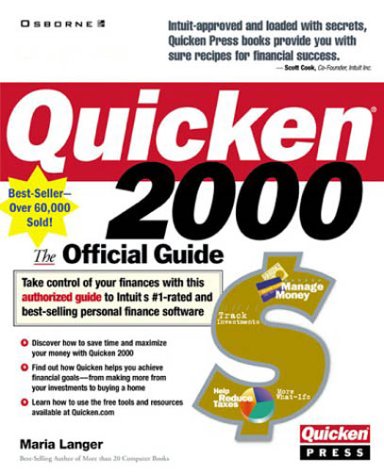
Quicken 2000 the official guide Maria Langer.
Detalles de publicación: Berkeley, Calif. Osborne/McGraw-Hill 1999.Descripción: xxvii, 530 p. ill. 24 cmISBN:- 0072121408 (pbk.) :
- Quicken two thousand
- HG179 .L265 1999
| Imagen de cubierta | Tipo de ítem | Biblioteca actual | Biblioteca de origen | Colección | Ubicación en estantería | Signatura topográfica | Materiales especificados | Info Vol | URL | Copia número | Estado | Notas | Fecha de vencimiento | Código de barras | Reserva de ítems | Prioridad de la cola de reserva de ejemplar | Reservas para cursos | |
|---|---|---|---|---|---|---|---|---|---|---|---|---|---|---|---|---|---|---|
| Libro | Biblioteca de Mayagüez Colección General mb | HG179 .L265 1999 (Navegar estantería(Abre debajo)) | Disponible | 50000002088986 |
Total de reservas: 0
Descripciones mejoradas de Syndetics:
This title explains how to use the finance program Quicken to track funds, manage investments, pay bills, balance accounts, collect tax information, and bank online.
Includes index.
"Covers Quicken Basic and Quicken Deluxe" - - Cover.
Tabla de contenidos provista por Syndetics
- Acknowledgments(p. xix)
- Introduction(p. xxi)
- Part 1 Quicken Setup and Basics
- 1 Getting to Know quicken(p. 3)
- What Is Quicken?(p. 4)
- Getting Started(p. 6)
- The Quicken Interface(p. 10)
- Setting Quicken Program Options(p. 17)
- Online Help(p. 21)
- Exiting Quicken(p. 26)
- 2 Setting Up Accounts and Categories(p. 29)
- Before You Begin(p. 30)
- Creating a Quicken Data File(p. 31)
- Accounts(p. 35)
- Categories(p. 43)
- 3 Online Setup(p. 51)
- Why Go Online?(p. 52)
- Security Features(p. 54)
- What You Need(p. 56)
- Setting Up an Internet Connection(p. 59)
- Testing Your Connection(p. 65)
- Troubleshooting(p. 67)
- Part 2 Organizing Your Finances
- 4 Recording Bank and Credit Card Transactions(p. 73)
- Getting Started(p. 74)
- Entering Transactions(p. 78)
- Working with Existing Transactions(p. 89)
- Using Splits and Classes(p. 93)
- Using QuickEntry(p. 97)
- Printing Checks(p. 100)
- Setting Register and Check Options(p. 104)
- 5 Tracking Investments(p. 111)
- Quicken Investment Basics(p. 112)
- Setting Up Accounts(p. 117)
- Viewing Your Investments(p. 123)
- Investment List Windows(p. 130)
- Recording Investment Transactions(p. 140)
- Tracking Security Values(p. 149)
- 6 Monitoring Assets and Loans(p. 153)
- The Basics(p. 154)
- Setting Up Accounts(p. 155)
- Tracking a Loan(p. 159)
- Recording Other Asset Transactions(p. 167)
- Quicken Home Inventory(p. 172)
- Emergency Records Organizer(p. 175)
- 7 Automating Transactions(p. 181)
- QuickFill and Memorized Transactions(p. 182)
- Financial Calendar and Scheduled Transactions(p. 186)
- Using Paycheck Setup(p. 190)
- Using Reminders and Billminder(p. 193)
- Alerts(p. 196)
- Address Book(p. 199)
- Part 3 Managing Your Financial Records
- 8 Reconciling Accounts(p. 207)
- The Importance of Reconciling Accounts(p. 208)
- Reconciliation Basics(p. 208)
- Other Reconciliation Tasks and Features(p. 213)
- 9 Centers, Reports, and Graphs(p. 217)
- Financial Activity Centers(p. 218)
- Reports and Graphs(p. 223)
- 10 Budgeting and Forecasting(p. 241)
- Budgeting(p. 242)
- Forecasting(p. 256)
- Part 4 Saving Time with Online Features
- 11 Introducing Quicken.com(p. 265)
- An Introduction to Web Surfing(p. 266)
- Accessing Quicken on the Web(p. 269)
- Quicken Financial Partners(p. 272)
- 12 Using Online Account Access and Payment(p. 277)
- Why Do Your Banking Online?(p. 278)
- Setting Up Online Financial Services(p. 282)
- The Online Center(p. 287)
- 13 Tracking Investments Online(p. 313)
- Benefits and Costs of Online Investment Tracking(p. 314)
- Online Investment Tracking(p. 315)
- Online Quotes and News(p. 324)
- 14 Accessing Your Quicken Data via the Web(p. 333)
- Accessing Quicken Data via the Web(p. 334)
- One Step Update and the PIN Vault(p. 342)
- Part 5 Saving Money and Achieving Your Goals
- 15 Saving Money at Tax Time(p. 351)
- The Importance of Tax Planning(p. 352)
- Tax Information in Accounts and Categories(p. 354)
- The Taxes Center(p. 358)
- Planning to Avoid Surprises(p. 361)
- Minimizing Taxes by Maximizing Deductions(p. 367)
- Making Smart Decisions(p. 370)
- Tax Reports(p. 372)
- Quicken.com Resources(p. 373)
- 16 Minimizing Home, Car, and Insurance Expenses(p. 377)
- Mortgage and Loan Basics(p. 378)
- Preparing for a Major Purchase(p. 383)
- Insurance Basics(p. 388)
- The Household Center(p. 394)
- Quicken.com Resources(p. 403)
- Worksheets(p. 406)
- 17 Maximizing Investment Returns(p. 415)
- Investment Basics(p. 416)
- The Investing Center(p. 423)
- Quicken.com Resources(p. 439)
- Worksheets(p. 440)
- 18 Planning for the Future(p. 445)
- Saving Basics(p. 446)
- Reducing Your Debt(p. 450)
- Planning for Retirement(p. 454)
- Retirement Funds(p. 457)
- Quicken Savings Tools(p. 461)
- Planning Center(p. 468)
- Quicken.com Resources(p. 490)
- Appendix A Managing Quicken Files(p. 495)
- Backing Up Your Quicken Data File(p. 496)
- Importing and Exporting Data(p. 499)
- Other File Management Tasks(p. 502)
- Index(p. 509)