Imagen de Amazon.com

Portada de Syndetics
Imagen de OpenLibrary
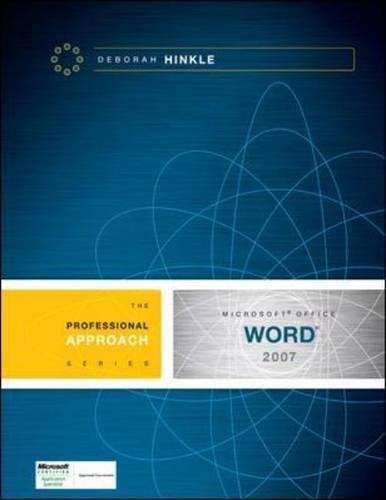
Microsoft Office Word 2007 a professional approach Deborah Hinkle.
Detalles de publicación: Boston McGraw-Hill c2008.Descripción: 1 v. (various pagings) col. ill. 28 cmISBN:- 9780073519197 (student ed. : alk. paper)
- 0073519197 (student ed. : alk. paper)
- 9780073294643 (annotated instructor's ed. : alk. paper)
- 0073294640 (annotated instructor's ed. : alk. paper)
- 005.52 H6634m 22
- Z52.5.M52 H563 2008
Recursos en línea:
| Imagen de cubierta | Tipo de ítem | Biblioteca actual | Biblioteca de origen | Colección | Ubicación en estantería | Signatura topográfica | Materiales especificados | Info Vol | URL | Copia número | Estado | Notas | Fecha de vencimiento | Código de barras | Reserva de ítems | Prioridad de la cola de reserva de ejemplar | Reservas para cursos | |
|---|---|---|---|---|---|---|---|---|---|---|---|---|---|---|---|---|---|---|
| Libro | Biblioteca Encarnación Valdés Colección General bev | 005.52 H6634m (Navegar estantería(Abre debajo)) | Disponible | 80000002375247 |
Total de reservas: 0
Descripciones mejoradas de Syndetics:
The Professional Approach Series is designed for students unfamiliar with the Microsoft Office Suite, or even students who are nervous about trying to learn computer skills. It is ideal for students who are new to the world of computers, yet in-depth enough to teach and challenge more savvy users. Each lesson contains up to 25 skill-applications and 5 end-of-unit skill-applications that take students from simple to complex situations. The Office 2007 texts complete instruction in all skill sets and activities for the appropriate MCAS Exams.
Includes index.
Tabla de contenidos provista por Syndetics
- Unit 1 Lesson
- 1 - Creating a Document Lesson
- 2 - Selecting and Editing Text Lesson
- 3 - Formatting Characters Lesson
- 4 - Writing Tools
- Unit 2 Lesson
- 5 - Formatting Paragraphs Lesson
- 6 - Tabs and Tabbed Columns Lesson
- 7 - Moving and Copying Text Lesson
- 8 - Find and Replace
- Unit 3 Lesson
- 9 - Margins and Printing Options Lesson
- 10 - Page and Section Breaks Lesson
- 11 - Page Numbers, Headers, and Footers Lesson
- 12 - Styles Lesson
- 13 - Templates and Wizards
- Unit 4 Lesson
- 14 - Tables Lesson
- 15 - Advanced Tables Lesson
- 16 - Columns
- Unit 5 Lesson
- 17 - Graphics Lesson
- 18 - Text Boxes and Desktop Publishing Lesson
- 19 - SmartArt and Charts
- Unit 6 Lesson
- 20 - Mail Merge Lesson
- 21 - Fields Lesson
- 22 - Macros
- Unit 7 Lesson
- 23 - Footnotes and Endnotes Lesson
- 24 - Outlines, Indexes, and Tables of Contents Lesson
- 25 - Sharing Your Work and Hyperlinks