
Descripciones mejoradas de Syndetics:
Get the know-how you need to safeguard your data against cyber attacks
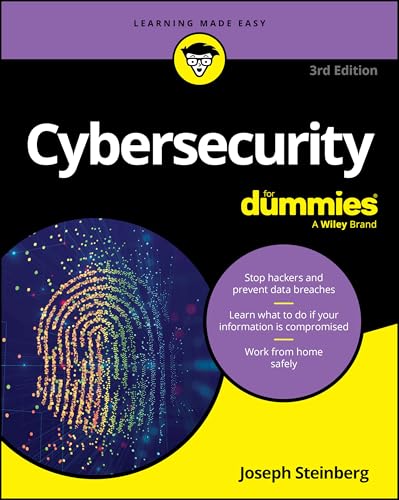
Cybercriminals are constantly updating their strategies and techniques in search of new ways to breach data security--shouldn't you learn how to keep yourself and your loved ones safe? Fully updated with information on AI, hybrid work environments, and more, Cybersecurity For Dummies is the best-selling guide you need to learn how to protect your personal and business information from the latest cyber threats. This book helps you build stronger defenses, with detailed instructions on how to protect your computer, your online data, and your mobile devices. Learn how to set up the right security measures and prevent breaches--as well as what to do if your information or systems are compromised.
Learn about the different types of cyberattacks and how to defend against them Beef up your data security for hybrid work environments and cloud storage Keep your family members safe against deepfake and other social engineering attacks Make sure you have a plan to respond quickly and limit damage in the event of a breachIdeal for businesses and individuals who want to be cyber-secure. Cybersecurity For Dummies is also a great primer for anyone interested in pursuing a career in cybersecurity.
Tabla de contenidos provista por Syndetics
- Introduction(1)
- About This Book(1)
- Foolish Assumptions(3)
- Icons Used in This Book(3)
- Beyond the Book(4)
- Where to Go from Here(4)
- Part 1 Getting Started with Cybersecurity(5)
- Chapter 1 What Exactly Is Cybersecurity?(7)
- Cybersecurity Means Different Things to Different Folks(7)
- Cybersecurity Is a Constantly Moving Target(9)
- Technological changes(9)
- Social shifts(14)
- Economic model shifts(16)
- Political shifts(17)
- Looking at the Risks Cybersecurity Mitigates(22)
- The goal of cybersecurity: The CIA Triad(23)
- From a human perspective(24)
- Chapter 2 Getting to Know Common Cyberattacks(27)
- Attacks That Inflict Damage(27)
- Denial-of-service (DoS) attacks(28)
- Distributed denial-of-service (DDoS) attacks(28)
- Botnets and zombies(30)
- Data destruction attacks(31)
- Attacks that cause physical destruction(31)
- Is That Really You? Impersonation(31)
- Ugh … There are so many types of phishing schemes(32)
- Spear phishing(32)
- CEO fraud(33)
- Deep fakes(33)
- Smishing(34)
- Vishing(34)
- Pharming(34)
- Whaling: Going for the "big fish"(34)
- Messing around with Other People's Stuff: Tampering(35)
- Captured in Transit: Interception(35)
- Taking What isn't Theirs: Data Theft(37)
- Personal data theft(37)
- Business data theft(38)
- Data exfiltration(38)
- Stolen passwords and other compromised credentials(39)
- Forced policy violations(39)
- Physically stealing devices(39)
- Cyberbombs That Sneak into Your Devices: Malware(40)
- Viruses(40)
- Worms(40)
- Trojans(41)
- Ransomware(41)
- Scareware(42)
- Spyware(43)
- Cryptocurrency miners(43)
- Ad ware(44)
- Blended malware(44)
- Zero-day malware(44)
- Fake malware on computers(44)
- Fake malware on mobile devices(45)
- Fake security subscription renewal notifications(45)
- Poisoned Web Service Attacks(45)
- Network Infrastructure Poisoning(46)
- Bogus and Faulty Updates(47)
- Malvertising(47)
- Stealing Passwords(48)
- Exploiting Maintenance Difficulties(50)
- Chapter 3 The Bad Guys You Must Defend Against and How They Plan to Attack You(51)
- Advanced Attacks(52)
- Opportunistic attacks(53)
- Targeted attacks(53)
- Blended (opportunistic and targeted) attacks(54)
- Zero-day attacks(54)
- Some Technical Attack Techniques(54)
- Bad Guys and Good Guys Are Relative Terms(57)
- Bad Guys Up to No Good(58)
- Sometimes they are kids or script kiddies, as we like to call them(58)
- Kids who are not kiddies(58)
- Terrorists, hacktivists, and other rogue groups(59)
- Rogue insiders(60)
- Hackers on a large scale(60)
- Cyberattackers and Their Colored Hats(62)
- Red Hats vs. Blue Hats(63)
- How Cybercriminals Monetize Their Actions(63)
- Conducting financial fraud(64)
- Extorting with Ransomware(66)
- Cryptominers(67)
- Not All Dangers Come From Attackers: Dealing with Nonmalicious Threats(67)
- Human error(67)
- External disasters(69)
- Defending against These Attackers(74)
- Part 2 Improving Your Own Personal Security(75)
- Chapter 4 Evaluating Your Current Cybersecurity Posture(77)
- Don't Be Achilles: Identifying Ways You May Be Less Than Secure(77)
- Identifying Risks(80)
- Protecting against Risks(81)
- Evaluating Your Current Security Measures(86)
- Configuration: Basic Technical Mistakes That Lead to Breaches(89)
- Privacy 101(91)
- Think before you share(91)
- Think before you post(92)
- General privacy tips(93)
- Banking Online Safely(95)
- Safely Using Smart Devices(97)
- Cryptocurrency Security 101(99)
- Chapter 5 Enhancing Physical Security(101)
- Understanding Why Physical Security Matters(102)
- Taking Inventory(103)
- Stationary devices(104)
- Mobile devices(104)
- Locating Your Vulnerable Data(105)
- Creating and Executing a Physical Security Plan(106)
- Implementing Physical Security(108)
- Security for Mobile Devices(109)
- Realizing That Insiders Pose the Greatest Risks(110)
- Trackers(111)
- Chapter 6 Cybersecurity Considerations When Working from Home(113)
- Network Security Concerns(114)
- Device Security Concerns(116)
- Location Cybersecurity(117)
- Shoulder surfing(117)
- Eavesdropping(118)
- Theft(118)
- Human errors(118)
- Video Conferencing Cybersecurity(119)
- Keep private stuff out of camera view(119)
- Keep video conferences secure from unauthorized visitors(120)
- Muting and Blocking Cameras(121)
- Recordings(121)
- Social Engineering Issues(122)
- Regulatory Issues(122)
- Part 3 Protecting Yourself from Yourself(123)
- Chapter 7 Securing Your Accounts(125)
- Realizing You're a Target(125)
- Securing Your External Accounts(126)
- Securing Data Associated with User Accounts(127)
- Best practices for securing data(127)
- Optimizing your hardware use(129)
- Minding your daily interactions with your accounts(130)
- Log out when you're finished(133)
- Dealing appropriately with sensitive financial data(133)
- Avoiding risky interactions(135)
- Securing Data with Parties You've Interacted With(137)
- Securing Data at Parties You Haven't Interacted With(139)
- Securing Data by Not Connecting Hardware with Unknown Pedigrees(141)
- Chapter 8 Passwords(143)
- Passwords: The Primary Form of Authentication(143)
- Avoiding Simplistic Passwords(144)
- Password Considerations(145)
- Easily guessable personal passwords(145)
- Complicated passwords aren't always better(146)
- Different levels of sensitivity(147)
- Your most sensitive passwords may not be the ones you think(147)
- You can reuse passwords - sometimes(148)
- Consider using a password manager(148)
- Creating Memorable, Strong Passwords(150)
- Knowing When to Change Passwords(151)
- Changing Passwords after a Breach(152)
- Providing Passwords to Humans(153)
- Storing Passwords(153)
- Storing passwords for your heirs(154)
- Storing general passwords(154)
- Transmitting Passwords(154)
- Discovering Alternatives to Passwords(155)
- Biometric authentication(155)
- SMS-based authentication(157)
- App-based one-time passwords(157)
- Hardware token authentication(158)
- USB-based authentication(159)
- Google passkeys(159)
- Vulnerabilities in Multifactor Authentication(159)
- Chapter 9 Preventing Social Engineering Attacks(161)
- Don't Trust Technology More than You Would People(161)
- Caller ID Scams(162)
- Types of Social Engineering Attacks(162)
- Six Principles That Social Engineers Exploit(166)
- Don't Overshare on Social Media(166)
- Leaking Data by Sharing Information as Part of Viral Trends(171)
- Identifying Fake Social Media Connections(171)
- Deep Fakes(177)
- Virtual kidnappings and deep fakes(178)
- Fake News(179)
- Using Bogus Information(179)
- Using Security Software(180)
- General Cyber-hygiene Can Help Prevent Social Engineering(180)
- Part 4 Cybersecurity for Busineses, Organizations, and Government(181)
- Chapter 10 Securing Your Small Business(183)
- Making Sure Someone Is In Charge(183)
- Watching Out for Employees(184)
- Incentivize employees(185)
- Avoid giving out the keys to the castle(185)
- Implement and enforce employee policies(188)
- Dealing with a Remote Workforce(192)
- Obtaining Cybersecurity Insurance(196)
- Complying with Regulations and Compliance(197)
- Protecting employee data(197)
- PCI DSS(198)
- Breach disclosure laws(198)
- SEC(199)
- State disclosure rules(199)
- Boards of directors(199)
- GDPR(200)
- HIPAA(200)
- Legal education requirements(200)
- Biometric data(201)
- Anti-money laundering laws(201)
- International sanctions(201)
- Trade secrets(201)
- Handling Internet Access(202)
- Chapter 11 Cybersecurity and Big Businesses(207)
- Using Technological Complexity(208)
- Managing Custom Systems(208)
- Continuity Planning and Disaster Recovery(209)
- Looking at Regulations(209)
- Sarbanes Oxley(209)
- Stricter PCI requirements(211)
- Public company data disclosure rules(211)
- Breach disclosures(211)
- Industry-specific regulators and rules(212)
- Fiduciary responsibilities(212)
- Deep pockets(213)
- Deeper Pockets - and Insured(213)
- Considering Employees, Consultants, and Partners(214)
- Dealing with internal politics(215)
- Offering information security training(215)
- Replicated environments(215)
- Looking at the Chief Information Security Officer's Role(216)
- Part 5 Handling a Security Incident (This is a When, Not an if)(221)
- Chapter 12 Identifying a Security Breach(223)
- Identifying Overt Breaches(224)
- Ransomware(224)
- Defacement(225)
- Claimed destruction(226)
- Detecting Covert Breaches(226)
- Noting changes in your device's performance(227)
- Your communications are whacked(231)
- Recognizing missing, modified, and unknown content(233)
- You experience unrequested and unwanted interactions(236)
- Other abnormal things happen(239)
- Chapter 13 Recovering from a Security Breach(241)
- An Ounce of Prevention Is Worth Many Tons of Response(241)
- Stay Calm and Act Now with Wisdom(242)
- Bring in a Pro(242)
- Recovering from a Breach without a Pro's Help(243)
- Step 1 Figure out what happened or is happening(243)
- Step 2 Contain the attack(244)
- Step 3 Terminate and eliminate the attack(245)
- Reinstall Damaged Software(249)
- Restart the system and run an updated security scan(249)
- Erase all potentially problematic System Restore points(250)
- Restore modified settings(250)
- Rebuild the system(251)
- Dealing with Stolen Information(252)
- Paying ransoms(253)
- Learning for the future(255)
- Recovering When Your Data Is Compromised at a Third Party(255)
- Reason the notice was sent(255)
- Scams(256)
- Passwords(256)
- Payment card information(257)
- Government-issued documents(258)
- School or employer-issued documents(258)
- Social media accounts(259)
- Recovering When Your Money Is Stolen from a Third Party(259)
- Part 6 Backing up and Recovery(261)
- Chapter 14 Backing Up(263)
- Backing Up Is a Must(263)
- Backing Up Data from Apps and Online Accounts(264)
- SMS texts(265)
- Social media(265)
- WhatsApp(266)
- Google Photos(266)
- Other apps(267)
- Cloud(267)
- Backing up data to cloud accounts(267)
- Backing up data from cloud accounts(268)
- Backing Up Data on Smartphones(268)
- Android(269)
- Apple(269)
- Conducting Cryptocurrency Backups(270)
- Looking at the Different Types of Backups(271)
- Full Backups of Systems(272)
- Original system images(273)
- Later system images(273)
- Original installation media(274)
- Downloaded software(274)
- Mixing It Up with Various Backups(275)
- Full backups of data(275)
- Incremental backups(276)
- Differential backups(276)
- Mixed backups(277)
- Continuous backups(277)
- Partial backups(278)
- Folder backups(278)
- Drive backups(279)
- Virtual drive backups(279)
- In-app backups(280)
- Figuring Out How Often You Should Backup(282)
- Exploring Backup Tools(283)
- Backup software(283)
- Drive-specific backup software(284)
- Windows Backup(284)
- Smartphone/tabtet backup(285)
- Manual file or folder copying backups(285)
- Automated task file or folder copying backups(286)
- Knowing Where (and Where Not) to Back Up(286)
- Local storage(286)
- Offsite storage(287)
- Network storage(287)
- Mixing locations(288)
- Never To Store Backups(288)
- Encrypting and Testing Backups(289)
- Disposing of Backups(290)
- Chapter 15 Resetting Your Device(293)
- Exploring Two Types of Resets(293)
- Soft Resets(294)
- Older devices(295)
- Windows computers(295)
- Mac computers(295)
- Android devices(296)
- iPhones(296)
- Hard Resets(297)
- Resetting a modern Windows device(297)
- Resetting a modern Android device(300)
- Resetting a Mac(302)
- Resetting an iPhone(303)
- Rebuilding Your Device after a Hard Reset(303)
- Chapter 16 Restoring from Backups(305)
- You Will Need to Restore(305)
- Wait! Do Not Restore Yet!(306)
- Inventorying Your Backups(306)
- Restoring from Full Backups of Systems(307)
- Restoring to the computing device that was originally backed up(307)
- Restoring to a different device than the one that was originally backed up(308)
- Original system images(309)
- Later system images(309)
- Installing security software(309)
- Original installation media(310)
- Downloaded software(310)
- Restoring from full backups of data(311)
- Restoring Data to Apps(312)
- Restoring from Incremental Backups(312)
- Incremental backups of data(312)
- Incremental backups of systems(313)
- Differential backups(313)
- Continuous backups(314)
- Partial backups(315)
- Folder backups(315)
- Drive backups(316)
- Virtual-drive backups(316)
- Dealing with Deletions(317)
- Excluding Files and Folders(317)
- Understanding Archives(319)
- Multiple files stored within one file(319)
- Old live data(319)
- Old versions of files, folders, or backups(320)
- Restoring Using Backup Tools(320)
- Restoring from a Windows backup(321)
- Restoring to a system restore point(321)
- Restoring from a smartphone/tablet backup(322)
- Restoring from manual file or folder copying backups(323)
- Using third-party backups of data hosted at third parties(323)
- Returning Backups to Their Proper Locations(323)
- Network storage(324)
- Restoring from a combination of locations(324)
- Restoring to Non-Original Locations(324)
- Never Leave Your Backups Connected(324)
- Restoring from Encrypted Backups(325)
- Testing Backups(325)
- After You Restore(326)
- Restoring Crypto currency(326)
- Booting from a Boot Disk(327)
- Part 7 Looking Toward the Future(329)
- Chapter 17 Pursuing a Cybersecurity Career(331)
- Professional Roles in Cybersecurity(332)
- Exploring Career Paths(335)
- Career path: Senior security architect(336)
- Career path: CISO(337)
- Considerations When Pursuing A Cybersecurity Career(338)
- Looking at Other Professions with a Cybersecurity Focus(339)
- Starting Out in Information Security(339)
- University Programs(340)
- Exploring Popular Certifications(341)
- CISSP(341)
- CISM(342)
- CEH(342)
- Security(343)
- GSEC(344)
- Verifiability(344)
- Ethics(344)
- Chapter 18 Meeting the Onrush of Artificial Intelligence(345)
- Machine Learning(346)
- Generative Al(347)
- Use of AI in cybersecurity(347)
- Use as a cybersecurity tool(347)
- Use as a hacking tool(348)
- Risks That We Cannot Understand(350)
- Risks to Human Creativity(351)
- Physical Security(351)
- AI brings an increased need for cybersecurity(352)
- New Dangers: When AI Systems Are Breached(353)
- The Point of No Return(354)
- Chapter 19 Emerging Technologies Bring New Threats(355)
- Relying on the Internet of Things(356)
- Critical infrastructure risks(357)
- Computers on wheels: modern cars(357)
- Using Cryptocurrencies and Blockchain(359)
- Cloud-Based Applications and Data(361)
- The Rise of SIM Swapping(362)
- Where Was This Laptop Really Made? Supply Chain Risks(362)
- Nothing Is Trustworthy: Zero Trust(363)
- Genius Computers Are Coming: Quantum Supremacy(364)
- Experiencing Virtual Reality(365)
- Transforming Experiences with Augmented Reality(367)
- Part 8 The Part of Tens(369)
- Chapter 20 Ten Ways to Improve Your Cybersecurity without Spending a Fortune(371)
- Understand That You Are a Target(371)
- Use Security Software(372)
- Encrypt Sensitive Information(372)
- Back Up Often(374)
- Test Your Backups(374)
- Use Proper Authentication(375)
- Use Social Media Wisely(375)
- Segregate Internet Access(376)
- Use Public Wi-Fi Safely (or Better Yet, Don't Use It!)(376)
- Hire a Pro(377)
- Chapter 21 Ten (or So) Lessons from Major Cybersecurity Breaches(379)
- Marriott(379)
- Target(381)
- Sony Pictures(382)
- U.S. Office of Personnel Management(383)
- Anthem(384)
- Colonial Pipeline and JBS SA(385)
- Colonial Pipeline(385)
- JBS(385)
- Chapter 22 Ten Ways to Safely Use Public Wi-Fi(387)
- Use Your Cellphone as a Mobile Hotspot(388)
- Turn Off Wi-Fi Connectivity When You're Not Using Wi-Fi(388)
- Don't Perform Sensitive Tasks over Public Wi-Fi(389)
- Use a VPN Service(389)
- Use a Travel Router(389)
- Use Tor(390)
- Use Encryption(390)
- Turn Off Sharing(390)
- Have Information Security Software on Any Devices Connected to Public Wi-Fi Networks(390)
- Understand the Difference between True Public Wi-Fi and Shared Wi-Fi(391)
- Index(393)