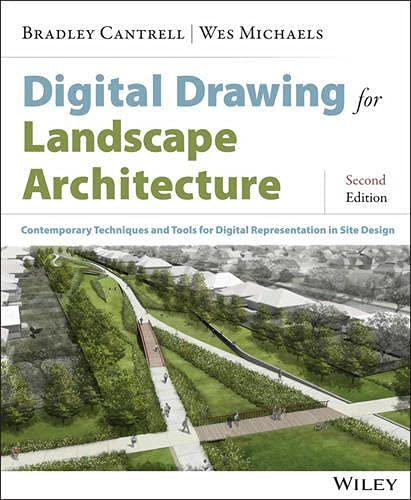

Digital Drawing for Landscape Architecture : Contemporary Techniques and Tools for Digital Representation in Site Design / by Bradley Cantrell , and Wes Michaels.
Editor: Somerset : John Wiley & Sons, Incorporated, 2014Fecha de copyright: ©2014Edición: Second editionDescripción: 1 online resource (339 pages)Tipo de contenido:- text
- computer
- online resource
- 9781118938911
- 712.0285
- SB475.9 .D37 C36 2014
| Imagen de cubierta | Tipo de ítem | Biblioteca actual | Biblioteca de origen | Colección | Ubicación en estantería | Signatura topográfica | Materiales especificados | Info Vol | URL | Copia número | Estado | Notas | Fecha de vencimiento | Código de barras | Reserva de ítems | Prioridad de la cola de reserva de ejemplar | Reservas para cursos | |
|---|---|---|---|---|---|---|---|---|---|---|---|---|---|---|---|---|---|---|
| Libro electrónico | Biblioteca de Mayagüez Acceso en línea | SB475.9 .D37 C36 2014 (Navegar estantería(Abre debajo)) | Ebook c. 1 | Disponible | 50000003285581 | |||||||||||||
| Libro Electrónico CARIBET | CARIBET Biblioteca Arquitectura Libros Electrónicos CARIBET | Electrónico SB475.9.D37 C36 2014 (Navegar estantería(Abre debajo)) | 1 | Disponible | caribet296934 |
Descripciones mejoradas de Syndetics:
Combine traditional techniques with modern media for more communicative renderings
Digital Drawing for Landscape Architecture: Contemporary Techniques and Tools for Digital Representation in Site Design, Second Edition bridges the gap between traditional analog and new digital tools by applying timeless concepts of representation to enhance design work in digital media. The book explores specific techniques for creating landscape designs, including digitally rendered plans, perspectives, and diagrams, and the updated second edition offers expanded coverage of newer concepts and techniques. Readers will gain insight into the roles of different drawings, with a clear emphasis on presenting a solid understanding of how diagram, plan, section, elevation, and perspective work together to present a comprehensive design approach.
Digital rendering is faster, more efficient, and more flexible than traditional rendering techniques, but the design principles and elements involved are still grounded in hand-rendering techniques. Digital Drawing for Landscape Architecture exploits both modalities to help designers create more beautiful, accurate, and communicative drawings in a professional studio environment. This second edition contains revised information on plan rendering techniques, camera matching workflow, and color selection, along with brand new features, like:
Time-based imagery and tools Workflow integration techniques Photoshop and Illustrator task automation Over 400 updated images, plus over 50 new examples of award-winning workThe book takes a tutorial-based approach to digital rendering, allowing readers to start practicing immediately and get up to speed quickly. Communication is a vital, but often overlooked component of the design process, and designers rely upon their drawings to translate concepts from idea to plan. Digital Drawing for Landscape Architecture provides the guidance landscape designers need to create their most communicative renderings yet.
Digital Drawing for Landscape Architecture -- Contents -- Foreword -- Preface -- Acknowledgments -- Part 1: Concepts -- Chapter 1: Introduction/Overview -- Software -- Workspace -- Chapter 2: Analog and Digital Rendering Comparisons -- Editability and Efficiency -- Commonalities and Parallels -- Hybrid Techniques -- Chapter 3: Basic Overview of Digital Concepts -- Raster-Based Programs -- Resolution in Raster Images -- Upsampling and Downsampling -- Vector Images -- Using Raster Images in Vector-Based Programs -- Color -- Adjustment Layers -- Image Adjustments -- Editing Adjustment Layers -- Masks and Channels -- Masks -- Channels -- Smart Objects -- Overview -- Smart Filters -- Blending Modes -- Part 2: Workflows -- Chapter 4: Digital Drawings in the Design Process -- Applications for Specific Tasks -- Moving between Analog and Digital Techniques -- Chapter 5: Setting up the Document -- Drawings at Multiple Sizes -- How Drawings Move through the Digital Workflow -- Setting the Image Size -- Chapter 6: Base Imagery and Scaling -- Aerial Photography -- Obtaining the Aerial Photograph -- Tiling Aerial Photographs in Photoshop -- Manual Method -- Tiling Photographs with Photomerge -- Scaling the Aerial Photograph -- Adjusting the Hue, Saturation, and Lightness of Base Imagery -- Using CAD Linework as a Base -- Chapter 7: Source Imagery/Entourage -- Selections -- Manual Methods -- Partial Selections -- Chapter 8: Managing Large Files -- Flattening Layers -- Saving Layer Groups for Flattening -- Printing Issues -- Chapter 9: Automation -- Recording Actions in Photoshop -- Playing Actions in Photoshop -- Batch Processing in Adobe Bridge -- Batch Rename in Bridge -- Part 3: Design Diagrams -- Chapter 10: Setting up an Illustrator Drawing -- Document Size/Color Mode -- Based Programs for Design Diagrams -- Importing an Aerial Photo into Illustrator.
Link versus Embed -- Chapter 11: Linework in Illustrator -- Shape Tools -- Pen Tool -- Editing Tools -- Appearance of Lines and Shapes -- Stroke Weight and Dashed Lines -- Transparency -- Appearance Palette -- Chapter 12: Custom Linework -- Creating a Pattern Brush from Shapes -- Altering the Pattern Brush -- Updating the Pattern Brush with New Shapes -- Chapter 13: Additional Diagramming Tools -- Blend Tool -- Live Paint -- Transform Each -- Image Trace -- Chapter 14: Symbols -- Creating Symbols from Custom Artwork -- Updating/Replacing Symbols -- Managing Symbols -- Creating Clipping Masks for Image Symbols -- Chapter 15: Text, Leaders, and Page Layout -- Text Tools -- Point Text -- Paragraph Text -- Differences between Point Text and Paragraph Text -- Formatting Text -- Custom Type Tools -- Creating Text with a Clipping Mask -- Leaders -- Layout -- Chapter 16: Exploded Axonometric Diagrams -- Creating an Exploded Axonometric Diagram -- Chapter 17: Time-Based Imagery -- Loading an Image Sequence -- Tweening between Layer States -- Image Stacks -- Part 4: Plan/Section Renderings -- Chapter 18: Importing PDF Linework -- PDF Linework -- Adjusting the Appearance of Linework -- Chapter 19: Applying Color to a Plan Rendering -- Technique 1: Applying Color with the Paint Bucket Tool -- Technique 2: Applying Color Using Adjustment Layers -- Saving Channels -- Chapter 20: Shading Techniques -- Selecting Fills -- Saving Selections and Manual Shading -- Automating the Shading of Edges -- Chapter 21: Creating Textures -- Creating a Texture from an Existing Photograph -- Creating a Seamless Pattern Using the Offset Filter -- Creating the Pattern and Applying It to the Rendering -- Paint Bucket and Pattern Stamp -- Pattern Overlay -- Managing Patterns -- Texturing with Filters -- Chapter 22: Brushes -- Standard Brushes -- Custom Brushes.
Chapter 23: Plan Symbols with Smart Objects -- Creating Smart Objects -- Duplicating and Editing Smart Objects -- Managing Smart Objects -- Smart Filters -- Chapter 24: Creating a Section Elevation -- Methods -- Part 5: Perspectives -- Chapter 25: Perspective Drawings -- Composition -- Virtual Cameras -- Exporting and Rendering -- Detail -- Color -- Contrast -- Brightness -- Two-Dimensional Photoshop Adjustment Layers, Opacity, and Screening -- Two-Dimensional/Three-Dimensional Z-Depth -- Three-Dimensional Atmosphere/Environment -- Understanding Level of Detail -- Chapter 26: Camera Match Three-Dimensional Object to Site Photo -- Camera Match with 3ds Max 2014 -- Match Photo with Tremble SketchUp -- Chapter 27: Create a Photoshop Perspective Collage -- Methods -- Chapter 28: Developing a Perspective -- Base Model -- Adding Site Context -- Textures -- Adding Vegetation -- Adding Scale Figures -- Bibliography -- Index -- End-User License Agreement.
Combine traditional techniques with modern media for more communicative renderings Digital Drawing for Landscape Architecture: Contemporary Techniques and Tools for Digital Representation in Site Design, Second Edition bridges the gap between traditional analog and new digital tools by applying timeless concepts of representation to enhance design work in digital media. The book explores specific techniques for creating landscape designs, including digitally rendered plans, perspectives, and diagrams, and the updated second edition offers expanded coverage of newer concepts and techniques. Readers will gain insight into the roles of different drawings, with a clear emphasis on presenting a solid understanding of how diagram, plan, section, elevation, and perspective work together to present a comprehensive design approach. Digital rendering is faster, more efficient, and more flexible than traditional rendering techniques, but the design principles and elements involved are still grounded in hand-rendering techniques. Digital Drawing for Landscape Architecture exploits both modalities to help designers create more beautiful, accurate, and communicative drawings in a professional studio environment. This second edition contains revised information on plan rendering techniques, camera matching workflow, and color selection, along with brand new features, like: Time-based imagery and tools Workflow integration techniques Photoshop and Illustrator task automation Over 400 updated images, plus over 50 new examples of award-winning work The book takes a tutorial-based approach to digital rendering, allowing readers to start practicing immediately and get up to speed quickly. Communication is a vital, but often overlooked component of the design process, and designers rely upon their drawings to translate concepts from idea to plan. Digital Drawing for
Landscape Architecture provides the guidance landscape designers need to create their most communicative renderings yet.
Description based on publisher supplied metadata and other sources.
Electronic reproduction. Ann Arbor, Michigan : ProQuest Ebook Central, 2021. Available via World Wide Web. Access may be limited to ProQuest Ebook Central affiliated libraries.
Notas de autor provistas por Syndetics
BRADLEY CANTRELL is Principal of Visual Logic and Associate Professor of Architectural Technology at the Harvard Graduate School of Design.
WES MICHAELS is a Principal at Spackman Mossop Michaels Landscape Architecture and an Associate Professor of Landscape Architecture at Louisiana State University.