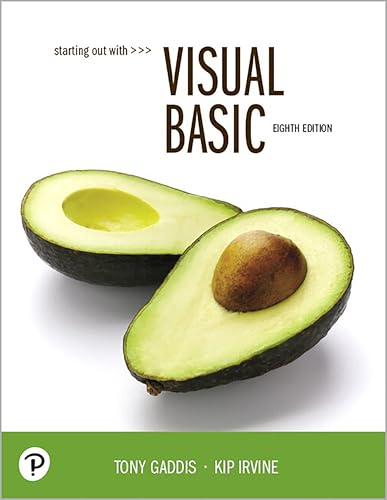

Starting out with visual basic / Tony Gaddis, Haywood Community College, Kip Irvine, Florida International University.
Editor: Hoboken : Pearson, [2019]Edición: Eighth editionDescripción: xxv, 902 pages : illustrations ; 26 cmTipo de contenido:- text
- unmediated
- volume
- 9780135204658
- 0135204658
- 005.26/8 23
- QA76.73.M53 G33 2019
| Imagen de cubierta | Tipo de ítem | Biblioteca actual | Biblioteca de origen | Colección | Ubicación en estantería | Signatura topográfica | Materiales especificados | Info Vol | URL | Copia número | Estado | Notas | Fecha de vencimiento | Código de barras | Reserva de ítems | Prioridad de la cola de reserva de ejemplar | Reservas para cursos | |
|---|---|---|---|---|---|---|---|---|---|---|---|---|---|---|---|---|---|---|
| Libro | Biblioteca de Mayagüez Colección General mb | QA76.73 .M53 G33 2019 (Navegar estantería(Abre debajo)) | c. 1 | Disponible | 50000003270146 |
Descripciones mejoradas de Syndetics:
For courses in Visual Basic Programming
Visual Basic fundamentals
Rich in concise, practical examples, Starting Out With Visual Basic covers the tools and features of Visual Basic, and when and how to use them. The authors introduce the fundamentals of Visual Basic in clear, easy-to-understand language, making it accessible to novice programming students. Students not only learn how to use the various controls, constructs, and features of Visual Basic, but also why and when to use them. The 8th Edition includes updates for compatibility with Visual Studio 2017.
Also available with MyLab Programming
By combining trusted author content with digital tools and a flexible platform, MyLab [or Mastering] personalizes the learning experience and improves results for each student. With MyLab Programming, students work through hundreds of short, auto-graded coding exercises and receive immediate and helpful feedback based on their work.
Note: You are purchasing a standalone product; MyLab Programming does not come packaged with this content. Students, if interested in purchasing this title with MyLab Programming, ask your instructor for the correct package ISBN and Course ID. Instructors, contact your Pearson representative for more information.
If you would like to purchase both the physical text and MyLab Programming, search for:
0135862477/9780135862476 Starting Out with Visual Basic, Plus MyLab Programming -- Access Card Package, 8e
Package consists of:
0135204658/9780135204658 Starting Out with Visual Basic, 8/e 0135228093 / 9780135228098 MyLab Programming Standalone Access CardIncludes bibliographical references and index.
1. Introduction to Programming and Visual Basic -- 2. Creating Applications with Visual Basic -- 3. Variables and Calculations -- 4. Making Decisions -- 5. Lists and Loops -- 6. Procedures and Functions -- 7. Multiple Forms, Modules, and Menus -- 8. Arrays and More -- 9. Files, Printing, and Structure -- 10. Working with Databases -- 11. Developing Web Applications -- 12. Classes, Collections, and Inheritance -- Appendix A. Advanced User Interface Controls and Techniques -- Appendix B. Windows Presentation Foundation (WPF) -- Appendix C. Converting Mathematical Expressions to Programming Statements -- Appendix D. Answers to Checkpoint.
Rich in concise, practical examples, Starting Out With Visual Basic covers the tools and features of Visual Basic, and when and how to use them. The authors introduce the fundamentals of Visual Basic in clear, easy-to-understand language, making it accessible to novice programming students. Students not only learn how to use the various controls, constructs, and features of Visual Basic, but also why and when to use them. The 8th Edition includes updates for compatibility with Visual Studio 2017.
Tabla de contenidos provista por Syndetics
- Preface(p. xvii)
- Chapter 1 Introduction to Programming and Visual Basic(p. 1)
- 1.1 Computer Systems: Hardware and Software(p. 1)
- 1.2 Programs and Programming Languages(p. 4)
- Tutorial 1-1 Running the Wage Calculator application(p. 8)
- Tutorial 1-2 Running an application that demonstrates event handlers(p. 10)
- 1.3 More about Controls and Programming(p. 11)
- Tutorial 1-3 Running an application that demonstrates various controls(p. 12)
- 1.4 The Programming Process(p. 16)
- 1.5 Visual Studio(p. 20)
- Tutorial 1-4 Starting Visual Studio and setting up the environment(p. 20)
- Tutorial 1-5 Starting a new Visual Basic project(p. 24)
- Tutorial 1-6 Becoming familiar with Visual Studio(p. 33)
- Summary(p. 35)
- Key Terms(p. 36)
- Review Questions and Exercises(p. 36)
- Programming Challenges(p. 40)
- Chapter 2 Creating Applications with Visual Basic(p. 41)
- 2.1 Getting Started with Forms and Controls(p. 41)
- 2.2 Creating the GUI for Your First Visual Basic Application: The Hello World Application(p. 52)
- Tutorial 2-1 Creating the GUI for the Hello World application(p. 53)
- 2.3 Writing the Code for the Hello World Application(p. 59)
- Tutorial 2-2 Writing code for the Hello World application(p. 62)
- 2.4 More About Label Controls(p. 68)
- 2.5 Creating Multiple Event Handlers(p. 76)
- Tutorial 2-3 Creating the Language Translator application(p. 77)
- 2.6 Making Sense of IntelliSense(p. 80)
- 2.7 PictureBox Controls(p. 81)
- Tutorial 2-4 Creating the Guess the President application(p. 84)
- Tutorial 2-5 Writing Click event handlers for PictureBox controls(p. 87)
- 2.8 The Visible Property(p. 90)
- Tutorial 2-6 Creating the Card Flip application(p. 91)
- 2.9 Writing the Code to Close an Application's Form(p. 94)
- Tutorial 2-7 Adding an Exit button to the Guess the President application(p. 95)
- 2.10 Comments, Blank Lines, and indentation(p. 98)
- 2.11 Dealing with Errors(p. 99)
- 2.12 Displaying User Messages at Runtime(p. 102)
- Tutorial 2-8 Displaying Message Boxes(p. 103)
- 2.13 Customizing an Application's Form(p. 107)
- Tutorial 2-9 Setting the FormBorderStyle property and locking the controls on a form(p. 109)
- 2.14 Using Visual Studio Help(p. 110)
- Summary(p. 112)
- Key Terms(p. 114)
- Review Questions(p. 115)
- Programming Challenges(p. 120)
- Chapter 3 Variables and Calculations(p. 125)
- 3.1 Gathering Text Input(p. 125)
- Tutorial 3-1 Using a TextBox control(p. 126)
- Tutorial 3-2 Building the Date String application(p. 128)
- 3.2 Variables and Data Types(p. 131)
- Tutorial 3-3 Assigning text to a variable(p. 138)
- 3.3 Performing Calculations(p. 142)
- 3.4 Mixing Different Data Types(p. 148)
- Tutorial 3-4 Creating the Tip Calculator application(p. 155)
- 3.5 Formatting Numbers and Dates(p. 160)
- Tutorial 3-5 Creating the Sale Price Calculator Application with Currency Formatting(p. 163)
- 3.6 Class-Level Variables(p. 167)
- Tutorial 3-6 Creating the Change Counter application(p. 168)
- 3.7 Exception Handling(p. 173)
- Tutorial 3-7 Exception Demonstration(p. 173)
- Tutorial 3-8 Salary Calculator project with exception handling(p. 177)
- 3.8 More GUI Details(p. 184)
- 3.9 The Load Event(p. 192)
- Tutorial 3-9 Getting the system date in the Load event handler(p. 193)
- 3.10 Focus on Program Design and Problem Solving: Building the Room Charge Calculator Application(p. 195)
- Tutorial 3-10 Beginning the Room Charge Calculator application(p. 200)
- Tutorial 3-11 Changing a label's colors(p. 206)
- 3.11 More About Debugging: Locating Logic Errors(p. 208)
- Tutorial 3-12 Single-stepping through an application's code at runtime(p. 209)
- Summary(p. 214)
- Key Terms(p. 217)
- Review Questions and Exercises(p. 218)
- Programming Challenges(p. 224)
- Chapter 4 Making Decisions(p. 233)
- 4.1 The Decision Structure(p. 233)
- 4.2 The If ... Then Statement(p. 235)
- Tutorial 4-1 Examining an application that uses the If ... Then Statement(p. 238)
- 4.3 The If ... Then ... Else Statement(p. 241)
- Tutorial 4-2 Completing an application that uses the If ... Then ... El self statement(p. 242)
- 4.4 The If ... Then ... El self Statement(p. 244)
- Tutorial 4-3 Completing an application that uses the If ... Then ... El self statement(p. 245)
- 4.5 Nested If Statements(p. 251)
- Tutorial 4-4 Completing an application with a nested If statement(p. 251)
- 4.6 Logical Operators(p. 253)
- 4.7 Comparing, Testing, and Working with Strings(p. 259)
- Tutorial 4-5 Examining an application that performs string comparisons(p. 262)
- Tutorial 4-6 Completing a string searching application(p. 267)
- 4.8 The Select Case Statement(p. 270)
- Tutorial 4-7 Examining Crazy Al's Sales Commission Calculator application(p. 273)
- 4.9 Introduction to Input Validation(p. 276)
- Tutorial 4-8 Examining an application that uses TryParse for input validation(p. 278)
- 4.10 Focus on GUI Design: Radio Buttons and Check Boxes(p. 281)
- Tutorial 4-9 Completing an application with radio buttons and check boxes(p. 283)
- 4.11 Focus on Program Design and Problem Solving: Building the Health Club Membership Fee Calculator Application(p. 284)
- Tutorial 4-10 Building the Health Club Membership Fee Calculator application(p. 290)
- Summary(p. 294)
- Key Terms(p. 295)
- Review Questions and Exercises(p. 296)
- Programming Challenges(p. 301)
- Chapter 5 Lists and Loops(p. 309)
- 5.1 Input Boxes(p. 309)
- 5.2 List Boxes(p. 311)
- Tutorial 5-1 Creating list boxes(p. 316)
- 5.3 Introduction to Loops: The Do While Loop(p. 320)
- Tutorial 5-2 Completing an application that uses the Do While loop(p. 321)
- Tutorial 5-3 Modifying the Do While Demo application to use a posttest loop(p. 325)
- Tutorial 5-4 Using a loop to keep a running total(p. 327)
- Tutorial 5-5 Examining an application that uses a user-controlled loop(p. 329)
- 5.4 The Do Until and For ... Next Loops(p. 331)
- Tutorial 5-6 Examining an application that uses the Do Until loop(p. 332)
- Tutorial 5-7 Examining an application that uses the For ... Next loop(p. 336)
- Tutorial 5-8 Completing an application that uses the For ... Next loop(p. 337)
- 5.5 Nested Loops(p. 341)
- 5.6 Multicolumn List Boxes, Checked List Boxes, and Combo Boxes(p. 342)
- Tutorial 5-9 Creating combo boxes(p. 346)
- 5.7 Random Numbers(p. 348)
- Tutorial 5-10 Creating the Coin Toss application(p. 350)
- 5.8 Simplifying Code using the With ... End With Statement(p. 352)
- 5.9 ToolTips(p. 353)
- Tutorial 5-11 Adding ToolTips to an application(p. 354)
- 5.10 Focus on Program Design and Problem Solving: Building the Vehicle Loan Calculator Application(p. 355)
- Tutorial 5-12 Building the Vehicle Loan Calculator application(p. 358)
- Summary(p. 363)
- Key Terms(p. 364)
- Review Questions and Exercises(p. 364)
- Programming Challenges(p. 370)
- Chapter 6 Procedures and Functions(p. 379)
- 6.1 Procedures(p. 380)
- Tutorial 6-1 Examining an application with n procedure(p. 380)
- Tutorial 6-2 Creating and calling procedures(p. 383)
- 6.2 Passing Arguments to Procedures(p. 387)
- Tutorial 6-3 Examining an application that demonstrates passing an argument to a procedure(p. 389)
- Tutorial 6-4 Working with ByVal and ByRef(p. 392)
- 6.3 Functions(p. 395)
- Tutorial 6-5 The Sale Price Calculator application(p. 396)
- 6.4 More about Debugging: Stepping Into, Over, and Out of Procedures and Functions(p. 403)
- Tutorial 6-6 Practicing the Step Into command(p. 404)
- Tutorial 6-7 Practicing the Step Over command(p. 405)
- Tutorial 6-8 Practicing the Step Out command(p. 405)
- 6.5 Focus on Program Design and Problem Solving: Building the Bagel and Coffee Price Calculator Application(p. 407)
- Tutorial 6-9 Building the Bagel Home application(p. 412)
- Summary(p. 416)
- Key Terms(p. 416)
- Review Questions and Exercises(p. 417)
- Programming Challenges(p. 420)
- Chapter 7 Multiple Forms, Modules, and Menus(p. 429)
- 7.1 Multiple Forms(p. 429)
- Tutorial 7-1 Creating an application with two forms(p. 437)
- Tutorial 7-2 Completing an application that displays modal and modeless forms(p. 440)
- Tutorial 7-3 Accessing a control on a different form(p. 446)
- Tutorial 7-4 Examining an application that uses a module(p. 454)
- 7.3 Menus(p. 461)
- Tutorial 7-5 Building a menu(p. 468)
- 7.4 Focus on Problem Solving: Building the High Adventure Travel Agency Price Quote Application(p. 473)
- Tutorial 7-6 Building the High Adventure Travel Agency Price Quote application(p. 475)
- Summary(p. 481)
- Key Terms(p. 482)
- Review Questions and Exercises(p. 482)
- Programming Challenges(p. 487)
- Chapter 8 Arrays and More(p. 499)
- 8.1 Arrays(p. 499)
- Tutorial 8-1 Using an array to hold a list or random lottery numbers(p. 504)
- Tutorial 8-2 Using an array to hold a list of names entered by the user(p. 507)
- Tutorial 8-3 Completing an application that uses array elements in a calculation(p. 510)
- 8.2 Array Processing Techniques(p. 514)
- Tutorial 8-4 Using parallel arrays(p. 518)
- 8.3 Procedures and Functions That Work with Arrays(p. 524)
- Tutorial 8-5 Examining an application that passes an array to procedures and functions(p. 526)
- 8.4 Multidimensional Arrays(p. 531)
- Tutorial 8-6 Completing the Seating Chart application(p. 535)
- 8.5 Focus on GUI Design: The Enabled Property and the Timer Control(p. 540)
- Tutorial 8-7 The Timer Demo(p. 541)
- Tutorial 8-8 Creating the Catch Me game(p. 542)
- 8.6 Focus on GUI Design: Anchoring and Docking Controls(p. 545)
- 8.7 Focus on Problem Solving: Building the Demetris Leadership Center Application(p. 548)
- Tutorial 8-9 Building the Demetris Leadership Center Sales Reporting application(p. 551)
- 8.8 Using Lists to Hold Information (Optional Topic)(p. 554)
- Tutorial 8-10 Building a List from user input(p. 556)
- Summary(p. 559)
- Key Terms(p. 560)
- Review Questions and Exercises(p. 561)
- Programming Challenges(p. 566)
- Chapter 9 Files, Printing, and Structures(p. 573)
- 9.1 Using Files(p. 573)
- Tutorial 9-1 Completing an application that writes data to a file(p. 578)
- Tutorial 9-2 Completing an application that reads a file(p. 583)
- Tutorial 9-3 Examining an application that detects the end of a file(p. 587)
- 9.2 The OpenFileDialog, SaveFileDialog, FontDialog, and ColorDialog Controls(p. 593)
- Tutorial 9-4 Creating a Simple Text Editor application(p. 597)
- 9.3 The PrintDocument Control(p. 606)
- Tutorial 9-5 Adding printing capabilities to the Simple Text Editor application(p. 608)
- 9.4 Structures(p. 613)
- Tutorial 9-6 Examining an application with a structure(p. 616)
- Summary(p. 618)
- Key Terms(p. 618)
- Review Questions and Exercises(p. 619)
- Programming Challenges(p. 625)
- Chapter 10 Working with Databases(p. 631)
- 10.1 Database Management Systems(p. 631)
- 10.2 Database Concepts(p. 632)
- 10.3 DataGridView Control(p. 636)
- Tutorial 10-1 Showing a database table in a DataGridView control(p. 637)
- Tutorial 10-2 Sorting and updating the SalesStaff table(p. 645)
- 10.4 Data-Bound Controls(p. 648)
- Tutorial 10-3 Binding a DataGridView to the SalesStaff table(p. 653)
- Tutorial 10-4 Binding individual controls to the SalesStaff table(p. 655)
- Tutorial 10-5 Displaying the Karate Members table in a ListBox Control(p. 659)
- Tutorial 10-6 Inserting Karate member payments(p. 662)
- Tutorial 10-7 Adding a total to the Insert Karate Payments application(p. 666)
- 10.5 Structured Query Language (SQL)(p. 667)
- Tutorial 16-8 Filtering rows in the SalesStaff table(p. 675)
- 10.6 Focus on Problem Solving: Karate School Management Application(p. 677)
- Tutorial 10-9 Creating the Karate School Manager startup form(p. 680)
- Tutorial 10-10 Adding the Membership / List All function to the Karate School Manager(p. 681)
- Tutorial 10-11 Adding the Membership / Add New Member function to the Karate School Manager(p. 684)
- Tutorial 10-12 Adding the Membership / Find Member function to the Karate School Manager(p. 686)
- Tutorial 10-13 Adding the Payments / All Members function to the Karate School Manager(p. 688)
- 10.7 Introduction to LINQ(p. 695)
- 10.8 Creating Your Own Database(p. 696)
- Tutorial 10-14 Creating the Movie database and the Films table(p. 697)
- Summary(p. 701)
- Key Terms(p. 702)
- Review Questions and Exercises(p. 703)
- Programming Challenges(p. 706)
- Chapter 11 Developing Web Applications(p. 711)
- 11.1 Programming for the Web(p. 711)
- 11.2 Creating ASP.NET Applications(p. 715)
- Tutorial 11-1 Creating the Click application(p. 719)
- 11.3 Web Server Controls(p. 724)
- Tutorial 11-2 Student Picnic application(p. 726)
- 11.4 Designing Web Forms(p. 734)
- Tutorial 11-3 Signing up for a Kayak Tour(p. 737)
- 11.5 Applications with Multiple Web Pages(p. 741)
- Tutorial 11-4 Adding a description form to the Kayak Tour application(p. 742)
- 11.6 Using Databases(p. 743)
- Tutorial 11-5 Displaying the Karate Members table in a GridView(p. 747)
- Tutorial 11-6 Updating the Karate Members table(p. 752)
- Summary(p. 760)
- Key Terms(p. 761)
- Review Questions and Exercises(p. 762)
- Programming Challenges(p. 765)
- Chapter 12 Classes, Collections, and Inheritance(p. 767)
- 12.1 Classes and Objects(p. 767)
- 12.2 Creating a Class(p. 770)
- Tutorial 12-1 Creating the Student Data application(p. 784)
- 12.3 Collections(p. 788)
- 12.4 Focus on Problem Solving: Creating the Student Collection Application(p. 794)
- Tutorial 12-2 Completing the Student Collection application(p. 794)
- 12.5 The Object Browser(p. 799)
- Tutorial 12-3 Using the Object Browser(p. 799)
- 12.6 Introduction to Inheritance(p. 801)
- Tutorial 12-4 Completing an application that uses inheritance(p. 808)
- Summary(p. 815)
- Key Terms(p. 816)
- Review Questions and Exercises(p. 817)
- Programming Challenges(p. 824)
- Appendix A Advanced User Interface Controls and Techniques(p. 829)
- Appendix B Windows Presentation Foundation (WPF)(p. 843)
- Appendix C Converting Mathematical Expressions to Programming Statements(p. 851)
- Appendix D Answers to Checkpoints(p. 853)
- Appendix E Glossary(p. 871)
- Index(p. 883)
- Credits(p. 901)
Notas de autor provistas por Syndetics
About our authorsTony Gaddis is the principal author of the Starting Out With series of textbooks. Tony has nearly two decades of experience teaching computer science courses, primarily at Haywood Community College. He is a highly acclaimed instructor who was previously selected as the North Carolina Community College "Teacher of the Year" and has received the Teaching Excellence award from the National Institute for Staff and Organizational Development. The Starting Out With series includes introductory books covering C++, JavaTM, Microsoft® Visual Basic®, Microsoft® C#®, Python®, Programming Logic and Design, Alice, and App Inventor, all published by Pearson.
Kip Irvine holds MS (computer science) and DMA (music composition) degrees from the University of Miami. He was formerly on the faculty at Miami-Dade Community College, and is presently a member of the School of Computing and Information Sciences at Florida International University. His published textbooks include COBOL for the IBM Personal Computer, Assembly Language for Intel-Based Computers, C++ and Object-Oriented Programming, and Advanced Visual Basic.