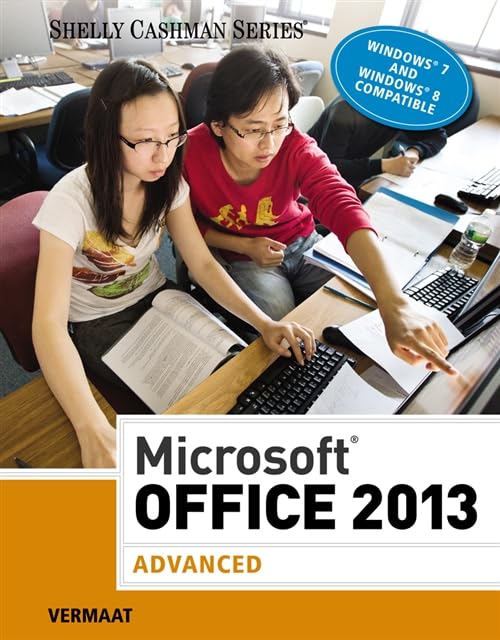

Microsoft Office 2013: advanced Misty E. Vermaat;contributing authors Steven M. Freund...[et al].
Series Shelly Cashman seriesDetalles de publicación: Boston, MA Cengage Learning 2014.Descripción: 1 v. (various pagings) col. ill. 28 cmISBN:- 9781285166230
- HF5548.4 .M525 V476 2014
| Imagen de cubierta | Tipo de ítem | Biblioteca actual | Biblioteca de origen | Colección | Ubicación en estantería | Signatura topográfica | Materiales especificados | Info Vol | URL | Copia número | Estado | Notas | Fecha de vencimiento | Código de barras | Reserva de ítems | Prioridad de la cola de reserva de ejemplar | Reservas para cursos | |
|---|---|---|---|---|---|---|---|---|---|---|---|---|---|---|---|---|---|---|
| Libro | Biblioteca de Mayagüez Colección General mb | HF5548.4 .M525 V476 2014 (Navegar estantería(Abre debajo)) | Disponible | 50000003248928 |
Descripciones mejoradas de Syndetics:
Introduce your students to the latest that Microsoft Office has to offer with the new generation of Shelly Cashman Series books! For the past three decades, the Shelly Cashman Series has effectively introduced computer skills to millions of students. With Microsoft Office 2013, we're continuing our history of innovation by enhancing our proven pedagogy to reflect the learning styles of today's students. In this text you'll find features that are specifically designed to engage students, improve retention, and prepare them for future success. Our trademark step-by-step, screen-by-screen approach now encourages students to expand their understanding of Microsoft Office 2013 software through experimentation, critical thought, and personalization. With these enhancements and more, the Shelly Cashman Series continues to deliver the most effective educational materials for you and your students.
eigm 05/2014
Includes indexes.
Tabla de contenidos provista por Syndetics
- Microsoft® Word 2013
- 4 Creating a Document with a Title Page, Lists, Tables, and a Watermark
- 5 Using a Template to Create a Resume and Sharing a Finished Document
- 6 Generating Form Letters, Mailing Labels, and a Directory
- 7 Creating a Newsletter with a Pull-Quote and Graphics
- Microsoft® PowerPoint® 2013
- 4 Working with Information Graphics
- 5 Collaborating on and Delivering a Presentation
- 6 Navigating Presentations Using Hyperlinks and Action Buttons
- 7 Creating a Self-Running Presentation Containing Animation
- Microsoft® Excel® 2013
- 4 Working with Multiple Worksheets and Workbooks
- 5 Financial Functions, Data Tables, and Amortization Schedules
- 6 Creating, Sorting, and Querying a Table
- 7 Creating Templates, Manipulating Data, and Adding Enhancements to a Worksheet
- Microsoft® Access© 2013
- 4 Creating Reports and Forms
- 5 Multitable Forms
- 6 Advanced Report Techniques
- 7 Advanced Form Techniques
- Microsoft® Outlook® 2013
- 3 Managing Contacts and Personal Contact Information with Outlook
- Capstone Projects
- Index
- Quick Reference
- Important Notes for Windows 7 Users