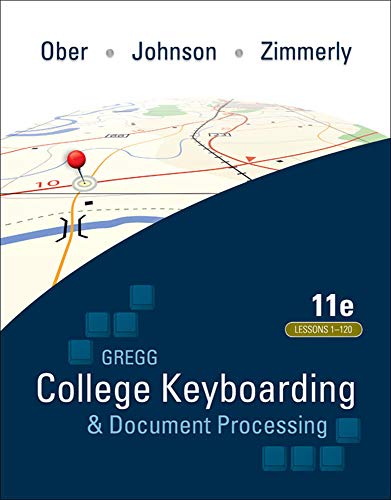

Gregg college keyboarding & document processing : lessons 1-120 / Scot Ober, Jack E. Johnson, Arlene Zimmerly.
Detalles de publicación: New York : McGraw-Hill Irwin, 2011.Edición: 11 th edDescripción: 1 v. (various pagings) : col. ill. ; 28 cm. + 1 computer disc & stufy guideTipo de contenido:- 9780073372198
- Gregg college keyboarding and document processing
- 652.30076 O122g 2011 22
- Z 2.3 .G74 2011
| Imagen de cubierta | Tipo de ítem | Biblioteca actual | Biblioteca de origen | Colección | Ubicación en estantería | Signatura topográfica | Materiales especificados | Info Vol | URL | Copia número | Estado | Notas | Fecha de vencimiento | Código de barras | Reserva de ítems | Prioridad de la cola de reserva de ejemplar | Reservas para cursos | |
|---|---|---|---|---|---|---|---|---|---|---|---|---|---|---|---|---|---|---|
| Libro | Biblioteca de Mayagüez Colección General mb | Z52.3 .G74 2011 (Navegar estantería(Abre debajo)) | Study Guide | Disponible | 50000003229308 | |||||||||||||
| Libro | Biblioteca de Mayagüez Sala de Referencia mb | Z52.3 .G74 2011 (Navegar estantería(Abre debajo)) | cd | Disponible | 50000003206181 | |||||||||||||
| Libro | Biblioteca de Mayagüez Colección General mb | Z52.3 .G74 2011 (Navegar estantería(Abre debajo)) | c. 1 | Disponible | 50000003229266 |
Descripciones mejoradas de Syndetics:
Gregg College Keyboarding and Document Processing (GDP), 11e by Ober, Johnson, and Zimmerly: Your complete learning/teaching system. Your guide to success. GDP/11 is an integrated keyboarding system designed to process and score documents created in Microsoft Word. Together, the book and software systematically lead students through each lesson to provide an easy path to success. As a solid product for over 50 years, this version of the GDP software has grown into an online functionality. The same program is now web-based with seamless updates to provide greater accessibility for use at home, in class, and in labs - perfect for distance learning! Strong enhancements to the book while maintaining key elements including integrated language arts (starting at lesson 21) support the cohesive program's strong content. Skillbuilding is reinforced with MAP+ (Misstroke Analysis and Prescription). MAP+ is an individualized, diagnostic tool that is built into the software to help identify student's strengths and weaknesses while providing prescriptive drills to help them practice where they need it most. Also, MAP+ now has new, unlimited drill lines that begin at Lesson 1. Additionally, GDP/11 automatically scores for keyboarding errors and now formatting errors too! As a result, instructors will appreciate the customization of course management tools in GDP/11, including the new GPS (Grade Posting System) which allows complete flexibility in setting up grades. GDP/11 your complete learning/teaching system. Your guide to success.
Rev. ed. of: Gregg college keyboarding & document processing. Lessons 1-120 / Scot Ober ... [et al.].
Includes index.
eigm 03/2012
Tabla de contenidos provista por Syndetics
- Preface
- Introduction to the Student
- Reference Manual
- Part 1 The Alphabet, Number, and Symbol Keys
- Unit 1 Keyboarding: The Alphabet
- Unit 2 Keyboarding : The Alphabet
- Unit 3 Keyboarding : Numbers and Symbols
- Unit 4 Keyboarding : Numbers and Symbols
- Part 2 Basic Business Documents
- Unit 5 Word Procesing and E-Mail
- Unit 6 Corespondence
- Unit 7 Reports
- Unit 8 Tables
- Part 3 Correspondence, Reports, and Employment Documents
- Unit 9 Corespondence
- Unit 10 Reports
- Unit 11 Employment Documents
- Unit 12 Skilbuilding and In-Basket Review
- Part 4 Advanced Formatting
- Unit 13 Skil Refinement
- Unit 14 Corespondence
- Unit 15 Reports
- Unit 16 Tables
- Part 5 Specialized Applications
- Unit 17 International Formatting
- Unit 18 Formal Report Project
- Unit 19 Medical Office Documents
- Unit 20 Legal Office Documents
- Part 6 Using and Designing Business Documents
- Unit 21 Using and Designing Office Forms
- Unit 22 Designing Office Publications
- Unit 23 Online Resumes and Merged Documents
- Unit 24 Skilbuilding and In-Basket Review
- Skillbuilding
- Index