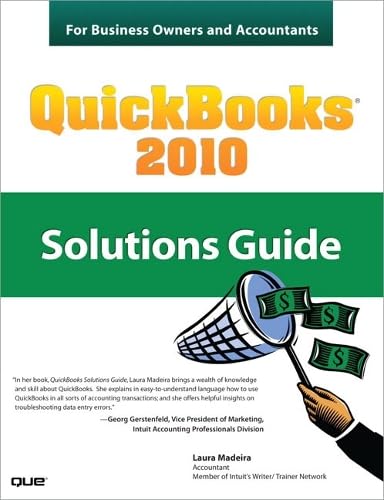

QuickBooks 2010 : solutions guide for business owners and accountants / Laura Madeira.
Detalles de publicación: Indianapolis, IN : Que Publishing, c2010.Descripción: xx, 528 p. ; ill. ; 24 cmTipo de contenido:- 9780789743220
- 657.9042028555
- HF5679 .M272 2010
| Imagen de cubierta | Tipo de ítem | Biblioteca actual | Biblioteca de origen | Colección | Ubicación en estantería | Signatura topográfica | Materiales especificados | Info Vol | URL | Copia número | Estado | Notas | Fecha de vencimiento | Código de barras | Reserva de ítems | Prioridad de la cola de reserva de ejemplar | Reservas para cursos | |
|---|---|---|---|---|---|---|---|---|---|---|---|---|---|---|---|---|---|---|
| Libro | Biblioteca de Mayagüez Colección General mb | HF 5679 .M272 2010 (Navegar estantería(Abre debajo)) | c. 1 | Disponible | 50000003200952 |
Descripciones mejoradas de Syndetics:
This is the definitive, must-have QuickBooks 2010 reference for every business owner and accounting professional. Not a beginner's guide, this is a high-productivity resource for solving the problems that intermediate-to-advanced QuickBooks users encounter most often. Author Laura Madeira is well-qualified to write this book: she has 20 years experience training professionals on Intuit products, and has been selected by Intuit to introduce its new releases to accountants and business entrepreneurs. Here, she offers real solutions for every QuickBooks accounting module, helping you achieve their true goal for QuickBooks: a clear, up-to-date understanding of where the business stands, and where it's headed. Madeira's expert consulting advice covers: data files, banking; A/R, undeposited funds, employee advances, inventory, A/P, sales tax, payroll, reporting, sharing data with accountants, and much more.
Offers expert solutions, processes, and QuickBooks troubleshooting help users can't find in any other book Shows how to fix errors and problems wherever they occur, from A/R and A/P to sales tax and payrollIncludes index.
eigm 09/2010
Tabla de contenidos provista por Syndetics
- Introduction
- How This Book Is Organized(p. 1)
- Conventions Used in This Book(p. 3)
- 1 Creating a New QuickBooks File
- EasyStep InterviewâÇôOverview(p. 6)
- Converting from Other Accounting Software to QuickBooks(p. 15)
- Setting Up a QuickBooks Data File for Accrual or Cash Basis Reporting(p. 22)
- 2 Reviewing the Chart of Accounts(p. 37)
- Understanding the Chart of Accounts(p. 38)
- Importing a Chart of Accounts(p. 40)
- Preferences That Affect the Chart of Accounts(p. 48)
- Accounts That QuickBooks Creates Automatically(p. 50)
- Methods to Troubleshoot and Correct Chart of Account Issues(p. 51)
- 3 Reviewing the Items List(p. 61)
- Differences Between the Chart of Accounts, Items, Classes, and Customer Types(p. 62)
- Using Item Types(p. 66)
- Finding Item Errors in QuickBooks(p. 69)
- Fixing Item Errors in QuickBooks(p. 74)
- Creating Items as Subitems(p. 81)
- 4 Easily Review Your QuickBooks Data(p. 83)
- Client Data ReviewâÇôImproved for 2010!(p. 84)
- Choosing a Reporting Basis(p. 85)
- Reviewing the Balance Sheet(p. 86)
- Additional Data Reviews(p. 96)
- 5 Power Reports For Reviewing Your Data(p. 101)
- How Can These Power Reports Help Me?(p. 102)
- Troubleshoot Account BalancesâÇôImproved for QuickBooks 2010!(p. 103)
- The Working Trial Balance Window(p. 103)
- Tracking Changes to Closed Accounting Periods(p. 105)
- Using the Audit Trail Report(p. 110)
- Using the Credit Card Audit Trail(p. 111)
- Using the Voided/Deleted Transactions Summary or Detail Report(p. 114)
- Creating the Retained Earnings QuickReport(p. 115)
- Using the Ctrl+Y Keyboard Shortcut(p. 117)
- Running the Transaction List by Date Report(p. 118)
- Documenting Changes Made to a Data File(p. 120)
- 6 Reviewing Your Bank Reconciliations(p. 123)
- The Importance of Correct Bank Balances in Your QuickBooks Data(p. 124)
- Reconciling a Bank Account for the First Time(p. 124)
- Troubleshooting an Incorrectly Reconciled Bank Account(p. 130)
- Reconciling with an Adjustment(p. 139)
- 7 Reviewing Accounts Receivable(p. 141)
- Accounts Receivable Forms and Workflow(p. 142)
- Preferences That Affect Accounts Receivable(p. 144)
- Reports to Review When Troubleshooting Accounts Receivable Errors(p. 157)
- Correcting Accounts Receivable Errors(p. 165)
- Unique Customer Transactions(p. 186)
- 8 Reviewing Undeposited Funds Account(p. 193)
- The Purpose of the Undeposited Funds Account(p. 194)
- Preference Settings That Affect Undeposited Funds(p. 194)
- Reviewing the Balance in the Undeposited Funds Account 197
- Fixing Errors with the Undeposited Funds Account(p. 204)
- 9 Handling Current Asset Accounts Correctly(p. 213)
- Defining an Other Current Asset(p. 214)
- Reviewing the Other Current Asset Accounts(p. 214)
- Troubleshooting and Creating Unique Other Current Asset Account Transactions(p. 219)
- 10 Reviewing Inventory(p. 229)
- Overview of the Accounting for Inventory(p. 230)
- Preferences That Affect Inventory(p. 232)
- Inventory Processes and Forms and Their Effect on Accounting(p. 236)
- Reviewing and Troubleshooting Inventory Balances(p. 238)
- Correcting Inventory Errors(p. 249)
- How QuickBooks Handles Negative Inventory(p. 253)
- 11 Reviewing Accounts Payable(p. 261)
- Accounts Payable Forms and Workflow(p. 262)
- Preferences That Affect Accounts Payable(p. 268)
- Reports to Review When Troubleshooting Accounts Payable Errors(p. 275)
- Correcting Accounts Payable Errors(p. 290)
- Unique Accounts Payable Transactions(p. 301)
- 12 Reviewing Sales Tax(p. 313)
- Preferences That Affect Sales Tax(p. 314)
- Sales Tax Items, Groups, and Codes(p. 318)
- Assigning Sales Tax Codes to Products or Services(p. 322)
- Assigning Sales Tax Codes and Sales Tax Items to Customers(p. 323)
- Reports to Review When Troubleshooting Sales Tax Errors(p. 324)
- Properly Paying Sales Tax(p. 331)
- Correcting Sales Tax Errors(p. 335)
- Unique Sales Tax Transactions(p. 341)
- 13 Reviewing Opening Balance Equity Account(p. 347)
- Purpose of the Opening Bal Equity Account(p. 348)
- Transactions in the Opening Bal Equity Account(p. 348)
- Reports to Review and Troubleshoot the Opening Bal Equity Account(p. 358)
- Closing Opening Bal Equity into Retained Earnings(p. 360)
- Setting a Closing Date and Password(p. 363)
- 14 Reviewing Payroll(p. 365)
- Payroll Service Options(p. 366)
- Payroll and Employees Preference(p. 368)
- Payroll Forms and Workflow in QuickBooks(p. 370)
- Using the Payroll Setup(p. 373)
- Using the Run Payroll Checkup Diagnostic Tool(p. 375)
- Reports to Review When Troubleshooting Payroll(p. 382)
- Adjusting Payroll Liabilities(p. 389)
- Unique Payroll Transactions and Processes(p. 393)
- 15 Sharing Data with Your Accountant or Your Client(p. 411)
- Sharing QuickBooks Data(p. 412)
- QuickBooks File Types(p. 413)
- Data Sharing for the Business Owner(p. 418)
- Data Sharing for the Accountant(p. 432)
- 16 Reporting Tips and Tricks(p. 449)
- Intuit Statement WriterâÇôImproved for 2010!(p. 450)
- Company SnapshotâÇôImproved for 2010!(p. 484)
- Newly Redesigned Report Center(p. 487)
- Reporting Preferences(p. 490)
- Modifying Reports(p. 493)
- Report Groups(p. 495)
- Memorized Reports(p. 500)
- Exporting and Importing Report Templates(p. 501)
- Exporting Reports to a .CSV File or to Excel(p. 503)
- Emailing Reports(p. 504)
- 17 Detecting and Correcting with the Client Data Review Feature
- Online only at: www.informit.com/title/9780789743220
- Introduction: Features and Benefits
- Starting a Client Data Review
- Customizing the Client Data Review Center
- Account Balances
- Review List Changes
- Accounts Receivable
- Accounts Payable
- Sales Tax
- Inventory
- Payroll
- Bank Reconciliation
- Miscellaneous
- Finishing a Client Data Review
- Reopening a Client Data Review
- Reporting on Review Activity
- Creating an External Accountant User
- Index 507
Notas de autor provistas por Syndetics
Laura Madeira is the owner of ACS, Inc., a software sales and consulting firm located in the greater Dallas, Texas area. Her affiliations with Intuit include being an Intuit Solution Provider, a select Member of the Intuit Trainer/Writer Network, Advanced QuickBooks Certified, Enterprise and Point of Sale Certified, and member of the Intuit Solution Provider Advisory Council.Laura is also the author of the QuickBooks 2008 and 2009 Solutions Guide , QuickBooks Essentials: For All QuickBooks Users , 9+ hours of self-paced video instruction, and coauthor of QuickBooks 2009 and 2010 on Demand , all offered by Que Publishing.
For more than 22 years Laura has worked with companies of all sizes and from many varied industries. Her focus has been to help small to mid-sized growing businesses become more successful by automating their internal accounting processes and reporting functions.
Additionally, Laura is a guest speaker for Intuit, providing training to thousands of consultants and accountants nationwide. She is also a respected author for Intuit who writes technical training materials presentations and documents her research and review of competing software solutions. Her QuickBooks at Year-End document is one of the most sought-after publications that Intuit offers its ProAdvisor consultants.
Laura has served on two Intuit Customer Advisory Councils and has been a consultant representing the accountant community during product development for QuickBooks 2010. She earned her accounting degree from Florida Atlantic University.
You can find out more information about the author on her website: www.quick-training.com.