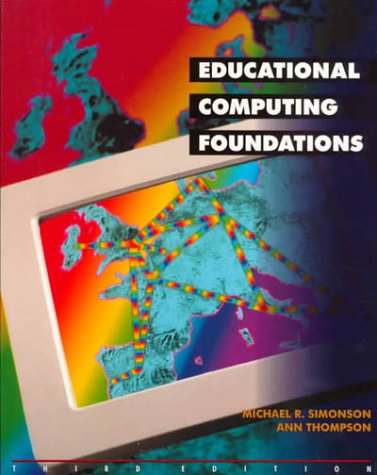
Imagen de Amazon.com

Portada de Syndetics
Imagen de OpenLibrary
Educational computing foundations Michael R. Simonson, Ann Thompson.
Detalles de publicación: New York Macmillan College Publishing Company 1997.Edición: 3rd edDescripción: xvi, 393 p. ill. 26 cmISBN:- 0133752623
- 370.285 S6117e3 20
- LB1028.43 .S57 1997
| Imagen de cubierta | Tipo de ítem | Biblioteca actual | Biblioteca de origen | Colección | Ubicación en estantería | Signatura topográfica | Materiales especificados | Info Vol | URL | Copia número | Estado | Notas | Fecha de vencimiento | Código de barras | Reserva de ítems | Prioridad de la cola de reserva de ejemplar | Reservas para cursos | |
|---|---|---|---|---|---|---|---|---|---|---|---|---|---|---|---|---|---|---|
| Libro | Biblioteca Mons. Iñaki Mallona (Arecibo) Colección General ab | 370.285 S6117e3 (Navegar estantería(Abre debajo)) | Disponible | 60000010027958 |
Total de reservas: 0
Descripciones mejoradas de Syndetics:
Providing readers with the basic information necessary to use computers professionally, this work is a discussion of the past, present and future uses of the computer in teaching, learning and training.
Includes bibliographical references and index.
Tabla de contenidos provista por Syndetics
- I Foundations Of Educational Computing
- 1 Technology and School Transformation
- About the chapter
- Introduction to school transformation
- Historical background
- Theoretical base for the new educational directions
- How technology can help
- Information literacy and communication skills
- Current technology use in schools
- 2 Computer Applications and Impact
- About the chapter
- A tool for the teacher
- Computers in the school
- Computer applications in the home
- Business applications of computers
- 3 Research on Computers in Education
- Theories supporting computer use in education
- Summaries of research on instructional uses of computers
- Effective computer-based instruction: what the research says
- 4 Computer Systems: What Teachers Need to Know
- Hardware and software
- The mainframe, the minicomputer, and the microcomputer
- Data storage in digital computers: binary code
- Computer memory size
- Computer Components
- Information transmission between computers
- Computer hardware and software organized in systems
- 5 Teaching with Computers: An Overview of Computer-Based Learning
- Categories for computer software used in education
- Categories for computer use in education
- Terminology: CAI, CBI, or CBL? Computers and other technologies
- Problems with using computers effectively in the classroom
- 6 Teaching About Computers: Computer Instruction in the Curriculum
- Computer literacy
- Computer anxiety
- Teaching about computers
- Fundamentals of programming
- 7 Computer Ethics and Equity
- More attention to computer ethics
- Equity issues
- II Applications Of Educational Computing
- 8 Managing Text: Word Processing and Desktop Publishing
- What is word processing? What is desktop publishing?
- Why word processing and desktop publishing?
- Word processing for the teacher
- Word processing in the teaching of writing
- Using the word processor across the curriculum
- 9 Managing Information: Data Managers
- What is the information age?
- What is a data base manager?
- Why database management? Database management applications for teachers
- Teaching about database management systems
- Teaching with database management
- 10 Managing Numbers: Spreadsheets and Statistical Analysis
- What is a spreadsheet? Why spreadsheets? Teachers' administrative use of the spreadsheet
- Teaching about spreadsheets
- Using spreadsheets across the curriculum
- Statistics and spreadsheets
- 11 Managing Information: Telecommunications and Internet
- Introduction to computer communication systems
- Online databases: their use and effect
- The Internet
- Internet services
- Some interesting telnet sites
- Some interesting FTP sites
- Some interesting Gopher sites
- Some Web sites
- Computer communication and national data bases in the curriculum
- 12 Managing Computers: Selecting Software and Hardware
- Software decisions
- Copyright
- Hardware selection decisions
- 13 LOGO: A Visualization Language for Learners
- What is LOGO? Why LOGO? Getting started with LOGO
- LOGO classroom applications across the curriculum
- 14 Hypermedia and Multimedia with HyperCard and LinkWay
- What is hypermedia? Why use hypermedia? Hypermedia applications for teachers
- Teaching about hypermedia
- What is hypercard? Getting started with hypercard
- Using linkway
- Teaching with linkway
- 15 Computers in Education: Past, Present and Future
- Why study computers in education? Brief history of the development of the computer
- History of computers in education
- Microcomputers in schools: Early years
- What will the future bring? Appendices
- Glossary
- Index