Imagen de Amazon.com

Portada de Syndetics
Imagen de OpenLibrary
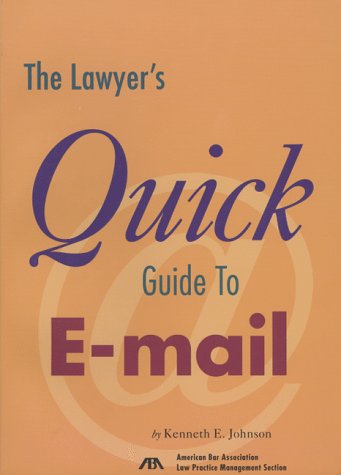
The lawyer's quick guide to E-mail by Kenneth E. Johnson .
Detalles de publicación: Chicago American Bar Association, Law Practice Management Section c1998 .Descripción: xix , 141 p. ill. 25 cmTipo de contenido:- 1570735948
- Quick guide to E-mail
- KF320 .A9 J638 1998 .
| Imagen de cubierta | Tipo de ítem | Biblioteca actual | Biblioteca de origen | Colección | Ubicación en estantería | Signatura topográfica | Materiales especificados | Info Vol | URL | Copia número | Estado | Notas | Fecha de vencimiento | Código de barras | Reserva de ítems | Prioridad de la cola de reserva de ejemplar | Reservas para cursos | |
|---|---|---|---|---|---|---|---|---|---|---|---|---|---|---|---|---|---|---|
| Libro | Biblioteca de Derecho Mons. Fremiot Torres Oliver Colección General biblioteca derecho | KF320 .A9 S339 1998 (Navegar estantería(Abre debajo)) | C1 | Disponible | 70000000620117 |
Total de reservas: 0
Descripciones mejoradas de Syndetics:
This guide covers the basics of setting up an e-mail program, sending, recieving and replying to e-mail, managing the received messages, mailing lists, sending documents, and security issues.
Tabla de contenidos provista por Syndetics
- Acknowledgments(p. vii)
- About the Author(p. ix)
- Foreword(p. xi)
- Introduction(p. xiii)
- Why Internet E-mail?(p. xiii)
- Are There Drawbacks?(p. xvi)
- Your Clients Want to Send E-mail to You(p. xvii)
- About This Book(p. xix)
- Chapter 1 E-mail Basics(p. 1)
- Getting an E-mail Account(p. 1)
- Choosing an E-mail Program(p. 3)
- How E-mail Works(p. 9)
- Chapter 2 Setting Up Your E-mail Program(p. 11)
- Your E-mail Program's Main Screen(p. 11)
- The Menu Bar(p. 14)
- The Toolbar(p. 15)
- A Tour of Your Mailboxes(p. 20)
- Your E-mail Address(p. 21)
- How to Find E-mail Addresses(p. 24)
- How to Configure Your E-mail Program(p. 25)
- How to Create a Signature(p. 30)
- Chapter 3 Composing and Sending E-mail(p. 35)
- Connecting to the Internet for a Mail Run(p. 35)
- Addressing and Address Books(p. 37)
- Using the To, CC, and BCC Fields(p. 40)
- Using the Subject Line(p. 41)
- Typing the Message(p. 41)
- Sending with Stationery(p. 43)
- Understanding Message Formats and E-mail Style Guidelines(p. 44)
- Following E-mail Netiquette(p. 49)
- Requesting Return Receipts(p. 52)
- Chapter 4 Receiving and Replying to E-mail(p. 53)
- Checking for Incoming E-mail(p. 53)
- Reading the Message Header(p. 54)
- Should Messages Be Copied or Moved?(p. 57)
- Replying to E-mail(p. 58)
- Quoting Dos and Don't(p. 60)
- Forwarding Messages(p. 61)
- Chapter 5 Managing Your E-mail(p. 63)
- Filtering Messages(p. 63)
- Storing Messages(p. 68)
- Deleting Messages(p. 69)
- Checking E-mail from Another Computer(p. 70)
- Chapter 6 Using Mailing Lists for Global Discussions(p. 73)
- Why Mailing Lists?(p. 73)
- Finding Appropriate Mailing Lists(p. 76)
- Subscribing to Mailing Lists(p. 77)
- Getting Help (and Getting Out)(p. 79)
- Sending and Receiving Messages from the List(p. 80)
- Observing List Netiquette (and More Flame Avoidance)(p. 82)
- Chapter 7 Sending More Than Text(p. 85)
- Attaching Files(p. 86)
- Handling Attachments(p. 88)
- Avoiding Attachment Pitfalls(p. 89)
- The Somewhat Gory Details of Attachments(p. 90)
- Chapter 8 Dealing with Security, Encryption, and Ethics Concerns(p. 93)
- Understanding Security Considerations(p. 94)
- Encrypting for Pretty Good Privacy(p. 95)
- Using Digital Certificates(p. 101)
- A Word about Ethics Opinions and Encrypted E-mail(p. 103)
- Addressing the Legal and Ethical Issues of E-mail(p. 103)
- Chapter 9 Conclusion(p. 107)
- Appendix A Learning More(p. 109)
- Mail Errors(p. 109)
- Push Technology(p. 110)
- What About Viruses?(p. 113)
- Spam, Spam, Spam, Spam...(p. 115)
- Appendix B E-mail Program Sources(p. 119)
- About the URLs in This Book(p. 119)
- Eudora(p. 120)
- Microsoft Outlook Express(p. 120)
- Netscape Messenger(p. 120)
- Other E-mail Software(p. 120)
- Program Reviews(p. 121)
- Appendix C Glossary of E-mail Terms(p. 123)
- Appendix D Additional Online Resources(p. 131)
- General E-mail Reference(p. 131)
- Domain Names and Internet Service Providers(p. 131)
- Eudora(p. 132)
- Microsoft Internet Explorer(p. 132)
- Netscape Navigator(p. 132)
- Web-based E-mail(p. 133)
- E-mail Address Directories(p. 133)
- Netiquette(p. 133)
- Mailing Lists(p. 133)
- E-mail Attachments(p. 134)
- PGP(p. 135)
- E-mail Ethics Issues(p. 135)
- E-mail Virus Hoaxes(p. 136)
- Junk E-mail(p. 136)
- Index(p. 137)