Imagen de Amazon.com

Portada de Syndetics
Imagen de OpenLibrary
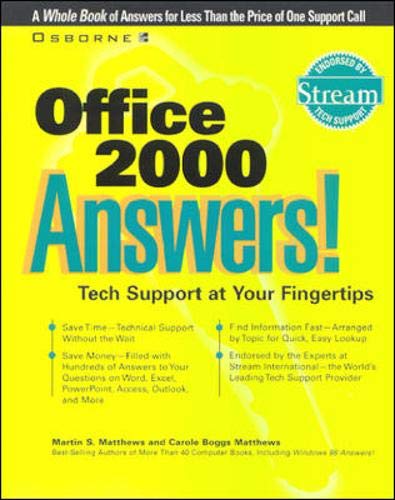
Office 2000 answers! Martin S. Matthews, Carole Boggs Matthews.
Detalles de publicación: Berkeley, Calif. London Osborne c1999.Descripción: xii, 545 p. ill. 24 cmISBN:- 0072118881
- 005.369 M4381o 21
| Imagen de cubierta | Tipo de ítem | Biblioteca actual | Biblioteca de origen | Colección | Ubicación en estantería | Signatura topográfica | Materiales especificados | Info Vol | URL | Copia número | Estado | Notas | Fecha de vencimiento | Código de barras | Reserva de ítems | Prioridad de la cola de reserva de ejemplar | Reservas para cursos | |
|---|---|---|---|---|---|---|---|---|---|---|---|---|---|---|---|---|---|---|
| Libro | Biblioteca Encarnación Valdés Colección General bev | 005.369 M4381o (Navegar estantería(Abre debajo)) | Disponible | 80000002126582 |
Total de reservas: 0
Descripciones mejoradas de Syndetics:
This text provides actual user problems that were called into the tech support hotline, along with sound fix-it advice. Elements include a perforated command card of frequently used Office commands; overviews at the beginning of each chapter; and sidebars that give background information.
Includes bibliographical references and index.
Tabla de contenidos provista por Syndetics
- Acknowledgments(p. ix)
- Introduction(p. xi)
- 1 Top 10 Frequently Asked Questions(p. xiv)
- 2 Getting Started with Office 2000(p. 12)
- Office 2000 Comes in Four Versions(p. 14)
- Installing Office 2000(p. 20)
- Customizing User Interfaces(p. 29)
- File Handling and Compatibility(p. 43)
- Using Help and the Office Assistant(p. 46)
- Miscellaneous(p. 51)
- 3 Writing with Word(p. 54)
- Word Features(p. 57)
- Creating and Saving Documents and Templates(p. 58)
- Entering and Editing Text(p. 70)
- Formatting Text(p. 79)
- Inserting Pictures and Objects(p. 85)
- Using Tables and Borders(p. 91)
- Using Macros(p. 97)
- Mail and Other Merging(p. 101)
- Working with Large Documents(p. 112)
- Collaborative Editing(p. 117)
- 4 Analyzing with Excel(p. 128)
- Excel Functions(p. 131)
- Using and Changing a Worksheet(p. 134)
- Entering and Changing Information(p. 144)
- Entering and Using Formulas and Functions(p. 148)
- Copying and Moving Information(p. 153)
- Adding Formatting, Patterns, and Borders(p. 155)
- Creating and Formatting Charts(p. 163)
- Sorting, Filtering, and Summarizing Data(p. 174)
- Working with PivotTables and PivotCharts(p. 179)
- 5 Presenting with PowerPoint(p. 182)
- PowerPoint Tools and Features(p. 184)
- Working with PowerPoint and Its Views(p. 187)
- Creating Presentations(p. 191)
- Using Templates and Masters(p. 202)
- Customizing Presentations(p. 206)
- Organizing Presentations(p. 218)
- Producing Presentations on Paper and on the Screen(p. 225)
- 6 Organizing with Access(p. 232)
- The Structure of Access(p. 234)
- Working with Access Databases(p. 237)
- Working with Tables(p. 247)
- Finding Data(p. 258)
- Creating and Modifying Forms(p. 269)
- Presenting Information with Reports(p. 278)
- Putting Data Online(p. 285)
- Importing, Exporting, and Linking Data(p. 287)
- 7 Communicating with Outlook(p. 290)
- Outlook Features(p. 292)
- Creating and Sending E-mail(p. 295)
- Using the Calendar(p. 316)
- Entering and Maintaining Contacts(p. 331)
- Establishing and Using Tasks Lists(p. 337)
- Keeping a Journal and Making Notes(p. 348)
- 8 Integrating Office Documents(p. 356)
- Ways in Which to Integrate Office 2000 Documents(p. 358)
- Sharing Files and Folders(p. 358)
- Pasting, Embedding, and Linking Between Applications(p. 364)
- Using Binders(p. 375)
- Adding and Modifying Documents Within a Binder(p. 386)
- Working with the Binder File(p. 391)
- Sharing Binders(p. 397)
- 9 Using Office with the Internet and Intranets(p. 402)
- The Online Capabilities of Office 2000 Programs(p. 404)
- Creating Internet and Intranet Documents(p. 405)
- Adding Hyperlinks to Office Documents(p. 416)
- Accessing the Web and Intranets with Office 2000(p. 426)
- Using and Publishing Web Pages with Office 2000(p. 433)
- Using Word with Your E-mail(p. 439)
- 10 Creating Web Pages with FrontPage(p. 446)
- Exploring the Internet and Intranets(p. 449)
- Automatic Web Page Creation(p. 456)
- Directly Creating and Formatting Web Pages(p. 463)
- Adding Pictures and Hyperlinks to Web Pages(p. 467)
- Using Tables and Frames(p. 474)
- Working with Forms(p. 480)
- Applying FrontPage Components(p. 485)
- Using Advanced Techniques(p. 488)
- 11 Working with the Rest of Office(p. 494)
- Drawing(p. 496)
- Microsoft Graph(p. 504)
- Clip Gallery(p. 514)
- Equation Editor(p. 518)
- Building Organization Charts(p. 523)
- Index(p. 529)