Imagen de Amazon.com

Portada de Syndetics
Imagen de OpenLibrary
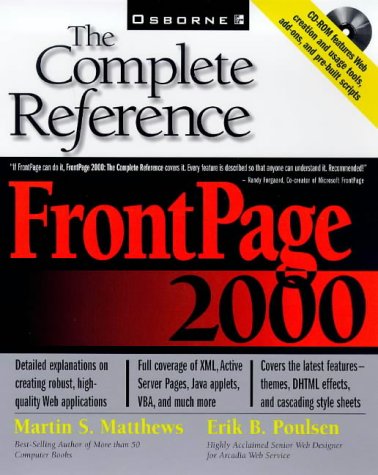
FrontPage 2000 the complete reference Martin S. Matthews, Erik B. Poulsen.
Detalles de publicación: Berkeley, Calif. Osborne/McGraw-Hill c1999.Descripción: xxii, 953 p. ill. 23 cm. 1 CD-ROM (4 3/4 in.)ISBN:- 007211939X
- The complete reference FrontPage 2000
| Imagen de cubierta | Tipo de ítem | Biblioteca actual | Biblioteca de origen | Colección | Ubicación en estantería | Signatura topográfica | Materiales especificados | Info Vol | URL | Copia número | Estado | Notas | Fecha de vencimiento | Código de barras | Reserva de ítems | Prioridad de la cola de reserva de ejemplar | Reservas para cursos | |
|---|---|---|---|---|---|---|---|---|---|---|---|---|---|---|---|---|---|---|
| Libro | Biblioteca Encarnación Valdés Colección General bev | 005.72 M441f (Navegar estantería(Abre debajo)) | Disponible | 80000002085168 | ||||||||||||||
| Libro | Biblioteca Mons. Iñaki Mallona (Arecibo) Colección General ab | 005.72 M4381f (Navegar estantería(Abre debajo)) | Disponible | 60000002999628 |
Total de reservas: 0
Descripciones mejoradas de Syndetics:
Published in preparation for the release of Microsoft's Office 2000 products, this text provides a comprehensive guide to all the features of FrontPage 2000.
Includes index.
Tabla de contenidos provista por Syndetics
- Acknowledgments(p. xvii)
- Introduction(p. xix)
- Part I Getting Started
- 1 Designing Quality Web Applications(p. 3)
- The Internet(p. 4)
- The World Wide Web(p. 5)
- LANs and an Intranet(p. 5)
- Internet Protocols(p. 7)
- What Is a Web Page?(p. 11)
- Designing Quality Web Applications(p. 15)
- Working with Graphics(p. 35)
- Laying out Web Pages(p. 44)
- Testing, Testing, Testing(p. 58)
- Keep Them Coming Back(p. 59)
- Do It!(p. 61)
- 2 Exploring FrontPage(p. 63)
- Creating a Web(p. 64)
- FrontPage Views(p. 66)
- Personal Web Server(p. 100)
- FrontPage Server Extensions(p. 100)
- 3 Using Wizards and Themes(p. 103)
- Web Wizards(p. 104)
- Themes(p. 129)
- Shared Borders(p. 135)
- 4 Using Templates(p. 143)
- Web Templates(p. 144)
- Page Templates(p. 157)
- Creating Your Own FrontPage Templates(p. 165)
- Creating Page Templates(p. 173)
- 5 Creating Graphics for FrontPage Webs(p. 177)
- Using Microsoft Image Composer(p. 178)
- Using Microsoft PhotoDraw(p. 216)
- Part II Creating Web Sites
- 6 Creating and Formatting a Web Page from Scratch(p. 241)
- Planning a Web(p. 242)
- Starting a Web(p. 246)
- Adding and Formatting Text(p. 251)
- Obtaining and Working with Pictures(p. 267)
- 7 Adding and Managing Hyperlinks and Hotspots(p. 279)
- Adding Hyperlinks to Text and Graphics(p. 280)
- Managing Hyperlinks(p. 303)
- 8 Using Tables and Frames(p. 307)
- Designing with Tables(p. 308)
- Laying Out with Frames(p. 330)
- 9 Working with Forms(p. 341)
- Using Forms(p. 342)
- 10 Using FrontPage Components(p. 371)
- Incorporating Components in Your Webs(p. 373)
- 11 Advanced Formatting Techniques(p. 395)
- Customizing Existing Themes(p. 396)
- Creating and Using Style Sheets(p. 403)
- Positioning and Wrapping Text Around Objects(p. 410)
- Adding Dynamic HTML Animation Effects(p. 418)
- Easily Choosing Web-Safe Colors(p. 420)
- 12 Importing and Integrating Office and Other Files(p. 425)
- Importing Microsoft Office 2000 and Other Productivity Files(p. 426)
- Importing Hyperlinks(p. 454)
- Part III Working Behind the Scenes
- 13 Working with HTML(p. 459)
- Introducing HTML(p. 460)
- Understanding FrontPage-Generated HTML(p. 488)
- Adding Capability to a FrontPage Web with HTML(p. 499)
- HTML Authoring Resources(p. 504)
- 14 Advanced Markup Languages(p. 507)
- Dynamic HTML(p. 508)
- Extensible Markup Language(p. 524)
- Virtual Reality(p. 527)
- 15 Web Scripting Languages(p. 531)
- JavaScript(p. 533)
- VBScript(p. 544)
- The Microsoft Script Wizard(p. 547)
- 16 Active Server Pages(p. 553)
- Active Server Pages Overview(p. 554)
- ASP Objects(p. 559)
- 17 Advanced Active Server Pages(p. 595)
- The Server.CreateObject Object and ASP Components(p. 597)
- The Ad Rotator Component(p. 598)
- The Browser Capabilities Component(p. 605)
- The Counters Component(p. 611)
- The Database Access Component(p. 614)
- The Content Rotator Component(p. 614)
- The File Access Component(p. 616)
- The MyInfo Component(p. 618)
- The Page Counter Component(p. 621)
- The Permission Checker Component(p. 622)
- The Content Linking Component(p. 623)
- The Server-Side Include Statement(p. 626)
- 18 Working with Databases(p. 627)
- Understanding Databases on the Web(p. 628)
- The FrontPage Database Results Wizard(p. 634)
- The ASP Database Access Component(p. 666)
- Using ASP to Create Web Database Pages(p. 675)
- 19 Activating Your Webs(p. 689)
- Active Browser Features(p. 690)
- Java(p. 692)
- ActiveX(p. 720)
- Part IV Extending Your Web Site
- 20 Adding Multimedia to Your Webs(p. 729)
- Capturing the Sound(p. 731)
- Using Nonstreaming Audio Files(p. 737)
- Using Streaming Audio Files(p. 740)
- 21 Security on the Web(p. 757)
- Areas Where Security Is Needed(p. 758)
- Bibliography(p. 777)
- 22 Doing E-Commerce(p. 779)
- Security(p. 781)
- Payment(p. 784)
- Web Design Tips for a Web Store(p. 786)
- Web Store Options(p. 787)
- 23 Setting Up an Intranet Web Site(p. 803)
- What Is an Intranet?(p. 804)
- Why Have an Intranet?(p. 806)
- What Do You Put on an Intranet?(p. 808)
- Types of Intranets(p. 809)
- Building Your Infrastructure(p. 811)
- Security and Firewalls(p. 818)
- Building Your Intranet(p. 819)
- Web Page Version Control with Visual SourceSafe(p. 841)
- Intranet Case Study(p. 843)
- Conclusion(p. 846)
- 24 Publishing and Promoting Webs on the Internet(p. 847)
- Publishing Your Web Pages(p. 848)
- Promoting Your Web Site(p. 870)
- Case Study: Promoting the BookBay(p. 876)
- A FrontPage 2000 Installation(p. 881)
- What You Need to Install FrontPage 2000(p. 882)
- Installing a Personal Web Server(p. 883)
- Installing FrontPage 2000(p. 886)
- Checking Your Network Setup(p. 889)
- Connecting to the Internet(p. 892)
- Installing Microsoft Image Composer or PhotoDraw(p. 895)
- B Constructing Web Templates(p. 899)
- C Using the Companion CD(p. 909)
- Book Material(p. 910)
- Software Programs(p. 910)
- EasyHelp/Web(p. 911)
- EasyHTML/Help (TM) Version 1.0a(p. 912)
- FileFerret(p. 913)
- GoldWave v4.02(p. 914)
- HTMLib 4.0(p. 914)
- HVS ColorGIF 2.0 Demo(p. 915)
- HVS JPEG 2.0 Demo(p. 916)
- InfoFerret(p. 917)
- Jamba(p. 917)
- JDesigner Pro 3.0(p. 919)
- J-Perk (formerly known as Java Perk)(p. 920)
- Multiquence v1.02(p. 920)
- Selena Sol's Scripts(p. 921)
- SitePad Pro(p. 925)
- WebFerret(p. 926)
- Web Weaver 98(p. 927)
- WebWorks Publisher(p. 928)
- WinZip(p. 929)
- Index(p. 931)