Imagen de Amazon.com

Portada de Syndetics
Imagen de OpenLibrary
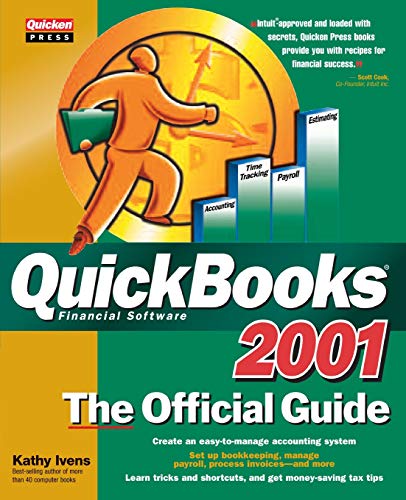
Quickbooks 2001 the official guide Kathy Ivens.
Detalles de publicación: Berkeley, California Osborne/McGraw-Hill 2001.Descripción: xxvi, 531 p. ill. 23 cmISBN:- 0072130954
- 657.904 I94q 2001
- HF5679 .L825 2001
| Imagen de cubierta | Tipo de ítem | Biblioteca actual | Biblioteca de origen | Colección | Ubicación en estantería | Signatura topográfica | Materiales especificados | Info Vol | URL | Copia número | Estado | Notas | Fecha de vencimiento | Código de barras | Reserva de ítems | Prioridad de la cola de reserva de ejemplar | Reservas para cursos | |
|---|---|---|---|---|---|---|---|---|---|---|---|---|---|---|---|---|---|---|
| Libro | Biblioteca de Mayagüez Colección General mb | HF5679 .L825 2001 (Navegar estantería(Abre debajo)) | Disponible | 50000002123593 |
Total de reservas: 0
Descripciones mejoradas de Syndetics:
-- QuickBooks 2001: The Official Guide shows readers how to use each component of QuickBooks to manage their business -- from creating and tracking invoices, to paying bills and reporting payroll elements to the government, to tracking inventory and reconciling bank statements and includes details on new electronic invoicing features.-- Officially endorsed by Intuit. Marketing support from Intuit will promote exposure and awareness of this title.-- Comprehensive coverage. Our book covers both the QuickBooks and QuickBooks Pro products.
Includes index.
Tabla de contenidos provista por Syndetics
- Acknowledgments(p. xxii)
- Introduction(p. xxiii)
- Part I Getting Started
- 1 Using QuickBooks for the First Time(p. 3)
- Launching the Software(p. 4)
- Starting the Setup Interview(p. 6)
- Deciding Whether to Continue the Interview(p. 9)
- Performing a Manual Setup(p. 21)
- The QuickBooks Software Window(p. 25)
- 2 Setting Up Your Lists(p. 31)
- Creating a Full Chart of Accounts(p. 32)
- Entering Your Customer List(p. 38)
- Entering Your Vendor List(p. 44)
- Entering the Payroll Lists(p. 47)
- Entering Items(p. 54)
- Entering Jobs(p. 58)
- Entering Other Lists(p. 59)
- Using Custom Fields(p. 64)
- Part II Bookkeeping
- 3 Invoicing(p. 71)
- Creating Standard Invoices(p. 72)
- Creating Progress Billing Invoices(p. 77)
- Editing Invoices(p. 80)
- Issuing Credits and Refunds(p. 84)
- Sending Invoices and Credit Memos(p. 86)
- Creating Sales Orders(p. 96)
- Creating Backorders(p. 98)
- Customizing Forms(p. 98)
- Using Memorized Invoices(p. 105)
- Creating Estimates(p. 106)
- 4 Receiving Payments(p. 109)
- Receiving Invoice Payments(p. 110)
- Handling Cash Sales(p. 118)
- Depositing Cash Receipts(p. 126)
- Handling the Over and Short Problem(p. 130)
- 5 Tracking Accounts Receivable(p. 133)
- Using Finance Charges(p. 134)
- Sending Statements(p. 138)
- Running Aging Reports(p. 144)
- Running Customer and Job Reports(p. 151)
- 6 Entering Accounts Payable Bills(p. 155)
- Recording Vendor Bills(p. 156)
- Entering Reimbursable Expenses(p. 158)
- Entering Inventory Item Bills(p. 163)
- Recording Vendor Credits(p. 170)
- Entering Recurring Bills(p. 171)
- 7 Paying Bills(p. 179)
- Choosing What to Pay(p. 180)
- Writing Manual Checks(p. 188)
- Printing Checks(p. 188)
- Using Direct Disbursements(p. 194)
- Remitting Sales Tax(p. 197)
- 8 Running Payroll(p. 205)
- Fine-Tuning Your Setup(p. 206)
- Signing Up for Payroll Services(p. 210)
- Entering Historical Data(p. 213)
- Running Payroll(p. 216)
- 9 Government Payroll Reporting(p. 225)
- Making Federal Payroll Tax Deposits(p. 226)
- Remitting State and Local Liabilities(p. 229)
- Remitting Other Payroll Liabilities(p. 230)
- Preparing Your 941 Form(p. 231)
- Preparing Annual Returns(p. 232)
- Printing W-2 Forms(p. 233)
- 10 Configuring and Tracking Inventory(p. 235)
- Creating Inventory Items(p. 236)
- Running Inventory Reports(p. 241)
- Counting Inventory(p. 244)
- Creating Pre-Builds(p. 253)
- Handling Backorders(p. 257)
- 11 Making Checkbook Adjustments(p. 265)
- Making a Deposit(p. 266)
- Transferring Funds Between Accounts(p. 268)
- Handling Bounced Checks(p. 270)
- Voiding Disbursements(p. 273)
- Tracking Petty Cash Transactions(p. 274)
- Working with Credit Cards(p. 277)
- 12 Reconciling Bank Accounts(p. 287)
- Entering Data from the Statement(p. 288)
- Reconciling the Difference(p. 292)
- Printing the Reconciliation Report(p. 294)
- 13 Using Budgets(p. 297)
- Budgeting Income and Expenses(p. 298)
- Comparing Your Budget with Reality(p. 301)
- Budgeting by Customer or Job(p. 304)
- Copying Budgets(p. 305)
- 14 Using Journal Entrles(p. 309)
- Using the General Journal Entry Window(p. 310)
- Opening Trial Balance(p. 312)
- Making Adjusting Entries(p. 314)
- Journalizing Outside Payroll Services(p. 318)
- 15 Running General Ledger Reports(p. 327)
- Reporting the Trial Balance(p. 328)
- Creating a Balance Sheet(p. 332)
- Creating a Profit and Loss Statement(p. 335)
- Creating an Accountant's Review(p. 339)
- 16 Using Online Banking Services(p. 345)
- Setting Up a Connection(p. 346)
- Setting Up Online Accounts(p. 348)
- Performing Online Transactions(p. 355)
- Receiving Customer Payments Online(p. 359)
- 17 Year-End Procedures(p. 361)
- Running Year-End Financial Reports(p. 362)
- Printing 1099 Forms(p. 364)
- Making Year-End Journal Entries(p. 367)
- Running Tax Reports(p. 367)
- Closing Your Books(p. 370)
- Part III Using Time and Billing
- 18 Using Time Tracking(p. 377)
- Configuring Time Tracking(p. 378)
- Using Timesheets(p. 382)
- Reporting Timesheet Information(p. 385)
- Creating Invoices with Timesheets Data(p. 389)
- 19 Using Timesheets for Payroll and Job Costing(p. 395)
- Setting Up Timesheet Data(p. 396)
- Running Payroll with Timesheets Data(p. 397)
- Running Payroll Reports for Cost Information(p. 398)
- 20 Using the Onscreen Timer(p. 403)
- Installing Timer(p. 404)
- Using Timer(p. 408)
- Exporting Your Time Files(p. 413)
- Importing Timer Files into QuickBooks Pro(p. 416)
- Part IV Managing QuickBooks
- 21 Customizing QuickBooks(p. 423)
- Changing Preferences(p. 424)
- Working with Multiple Users(p. 439)
- Configuring Classes(p. 443)
- Using QuickBooks on a Network(p. 447)
- Customizing the Icon Bar(p. 450)
- Using the Navigators List(p. 453)
- Using and Customizing the Shortcut List(p. 454)
- 22 Managing Your QuickBooks Files(p. 459)
- Creating Companies in QuickBooks(p. 460)
- Backing Up and Restoring Files(p. 462)
- Condensing Data(p. 465)
- Updating QuickBooks(p. 467)
- Part V Appendices
- A Do This First!(p. 475)
- Deciding on the Start Date(p. 476)
- Gathering the Information You Need(p. 477)
- Opening Trial Balance(p. 480)
- B Installing QuickBooks(p. 483)
- Start the Installation Program(p. 484)
- Begin QuickBooks Setup(p. 484)
- Registering QuickBooks(p. 486)
- C Integrating QuickBooks Pro with Other Programs(p. 489)
- Automated Integration with Excel(p. 490)
- Mail Merge with Word(p. 491)
- Synchronizing Contacts(p. 495)
- D Using QuickBooks Extras(p. 499)
- QuickBooks Site Builder(p. 500)
- QuickBooks Merchant Card Account Services(p. 502)
- Other QuickBooks Business Services(p. 503)
- Index(p. 504)